The portfolio
Where every session starts: everything you run, then one property at a time.
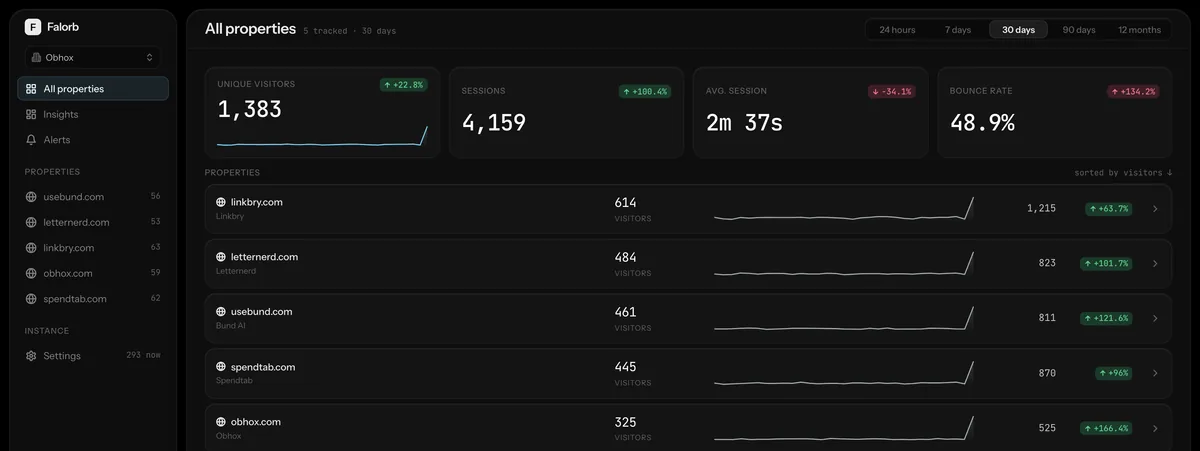
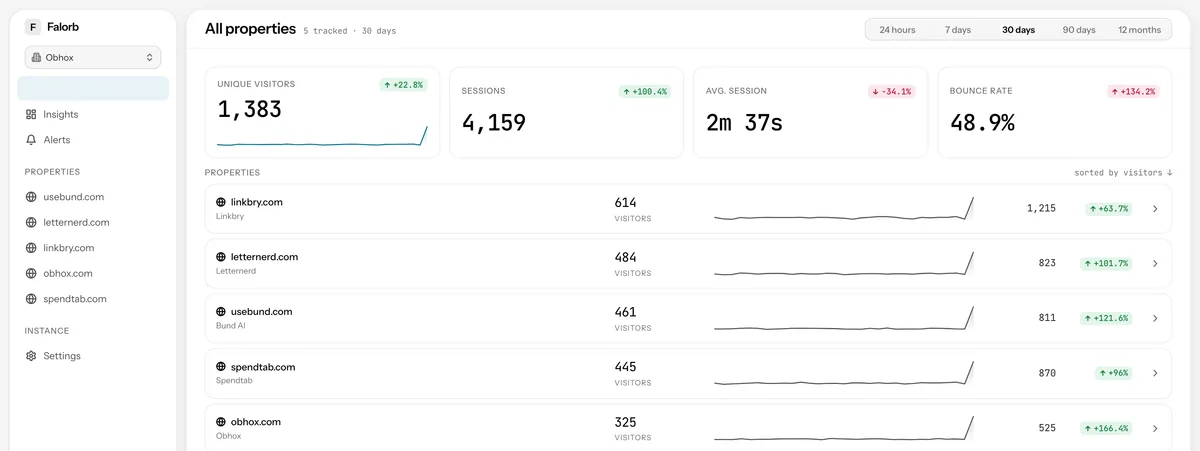
All properties
Portfolio totals with period-over-period deltas, then every property ranked with its own sparkline. The row is a link, and the range follows you in.
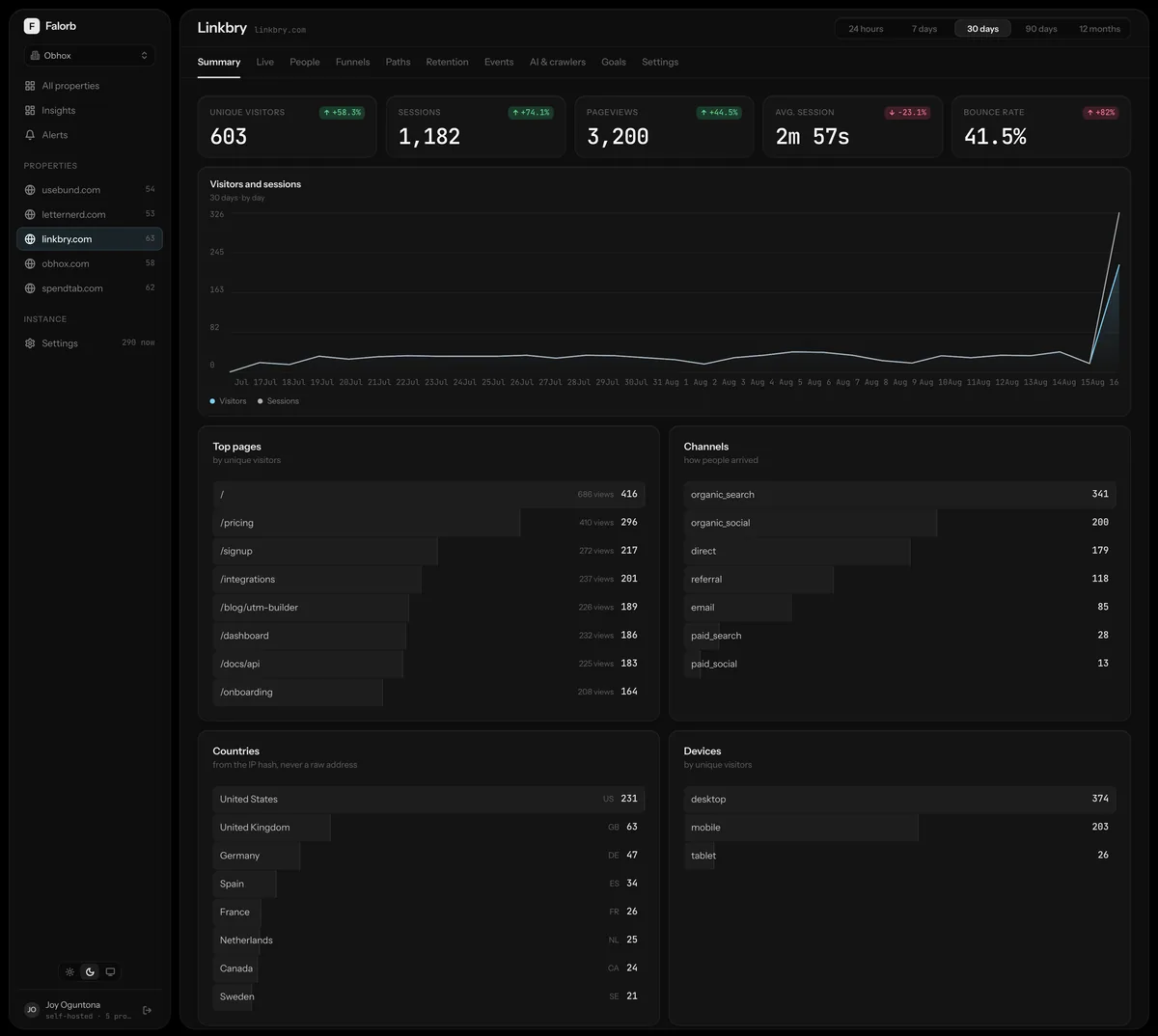
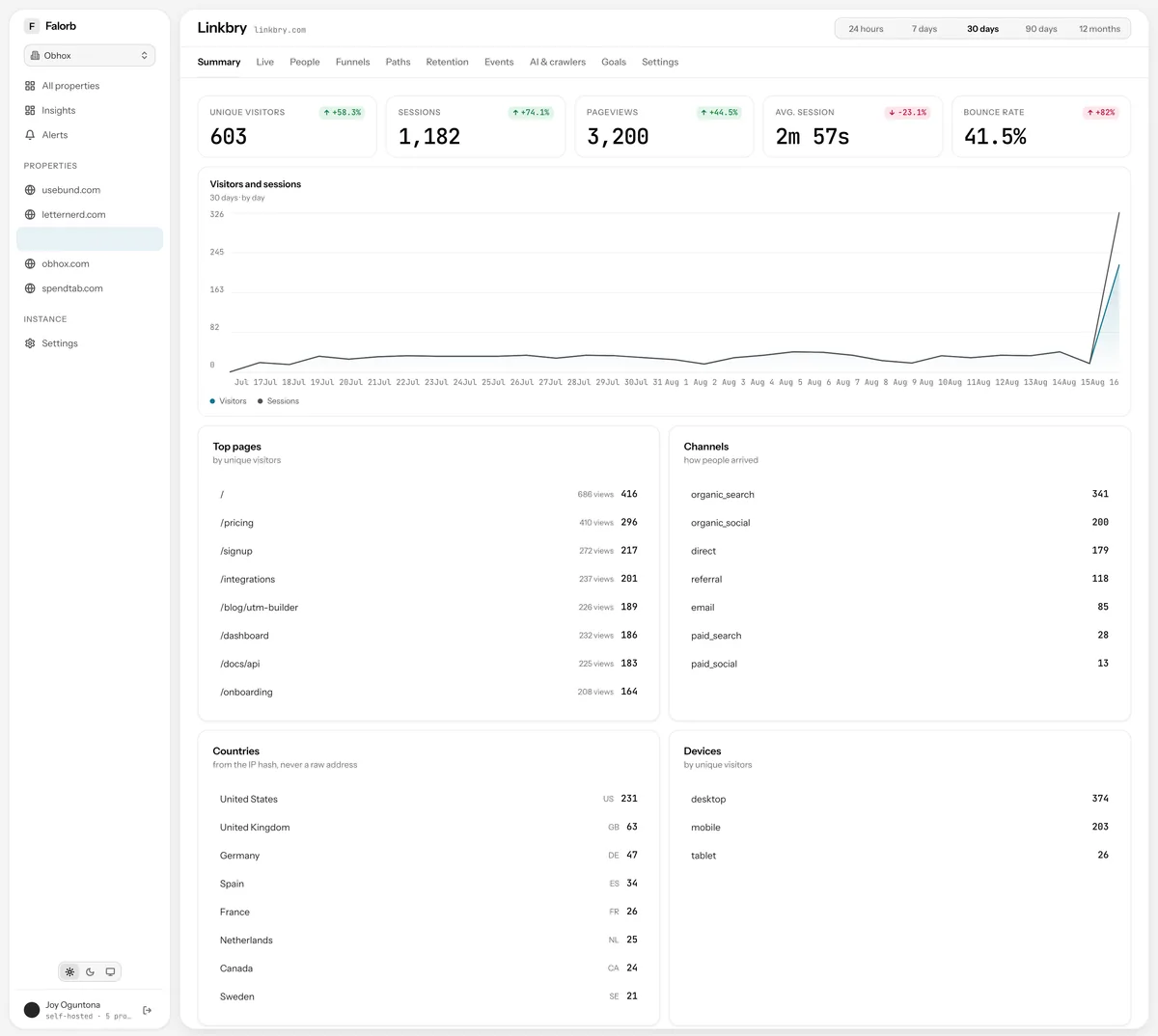
Property summary
Totals, a visitors-and-sessions trend at an interval chosen to fit the range, and four breakdowns: top pages, channels, countries, devices.
Workspaces
Properties belong to an organization and a person can belong to several, so an agency's client work is a real separation rather than a second login.
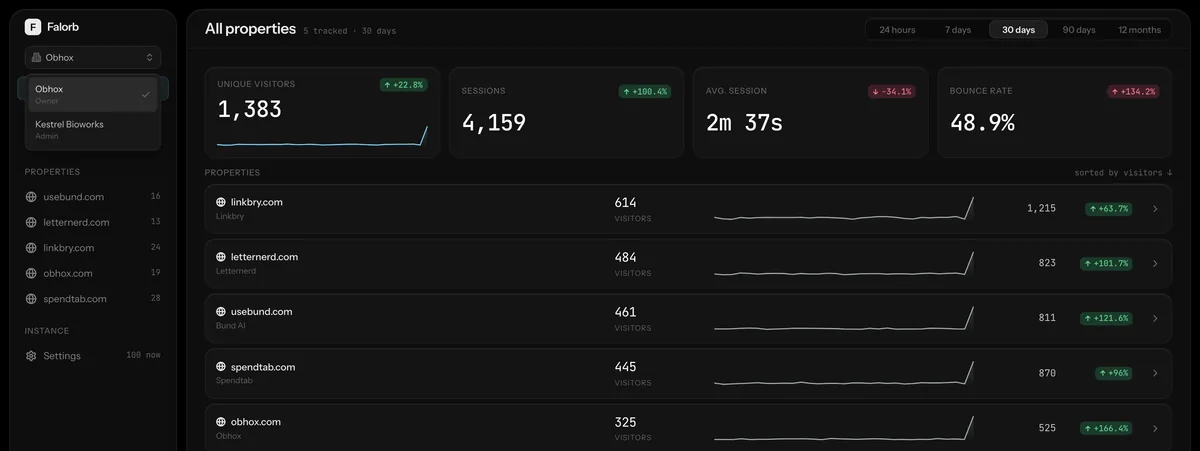
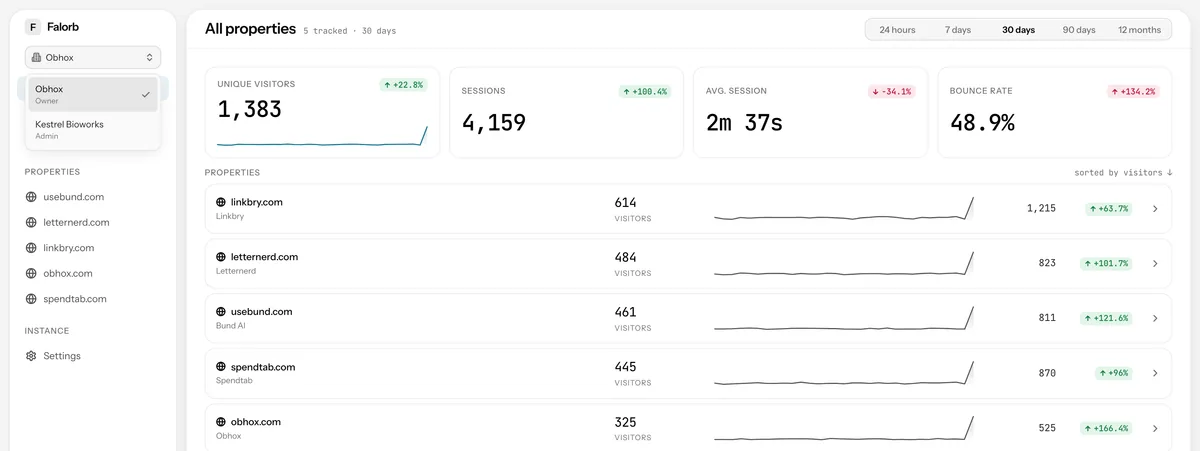
A second workspace
The same overview for a different organization, with separate properties, members and alerts.


The people
The part that makes it a product analytics tool rather than a traffic counter.
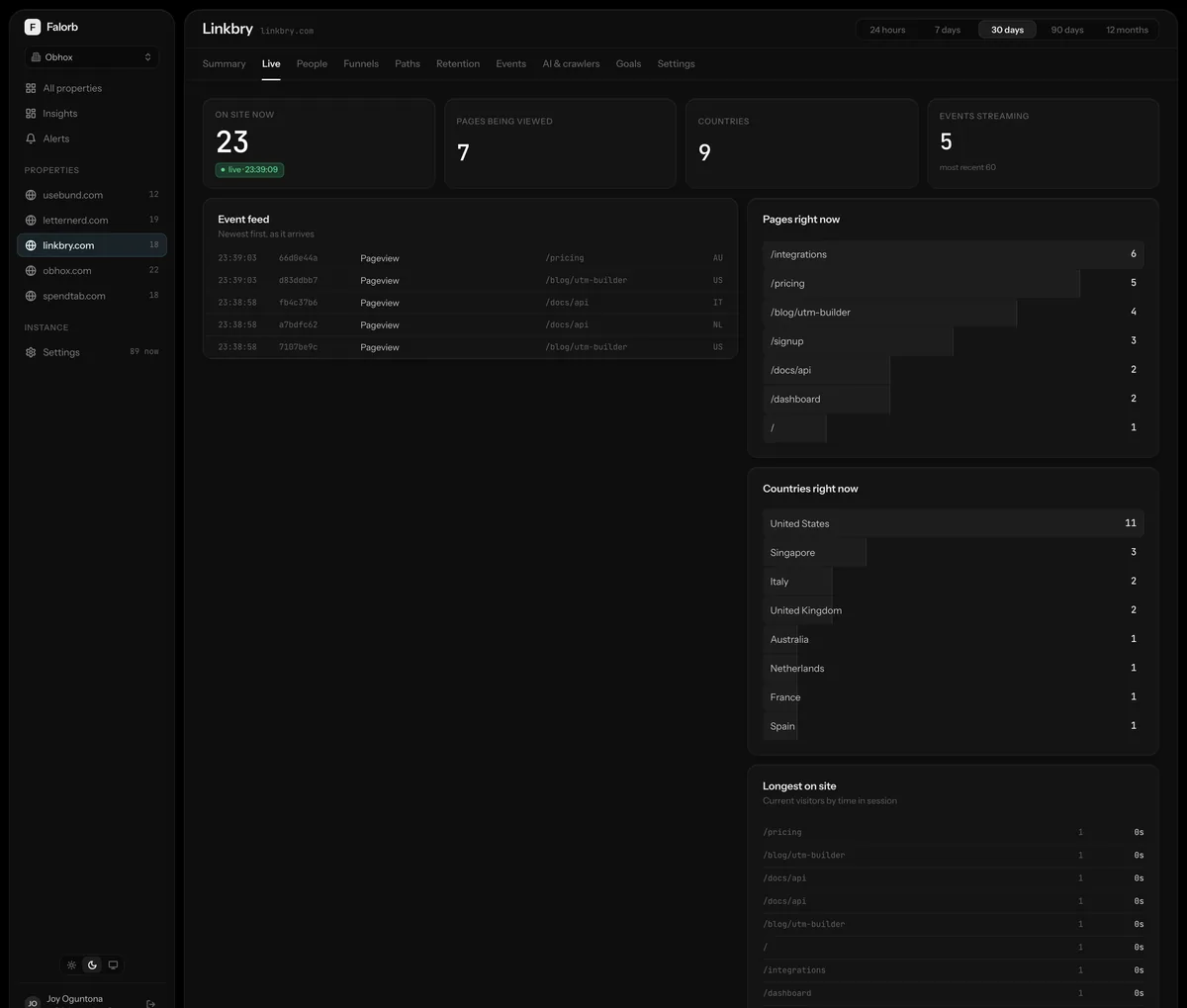
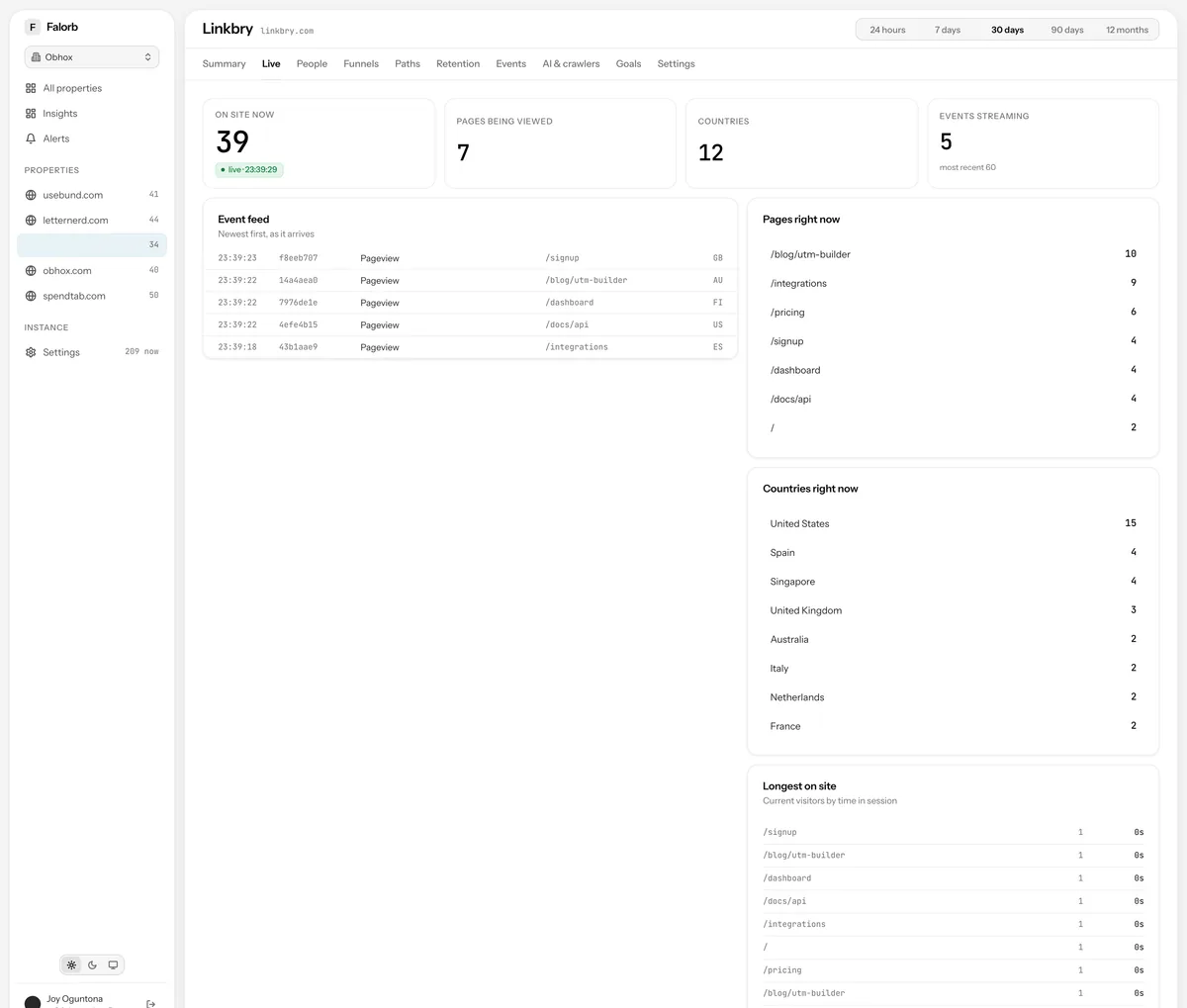
Realtime
A live event feed, the pages and countries active now, and the visitors who have been reading longest. Streamed over server-sent events from your own origin.
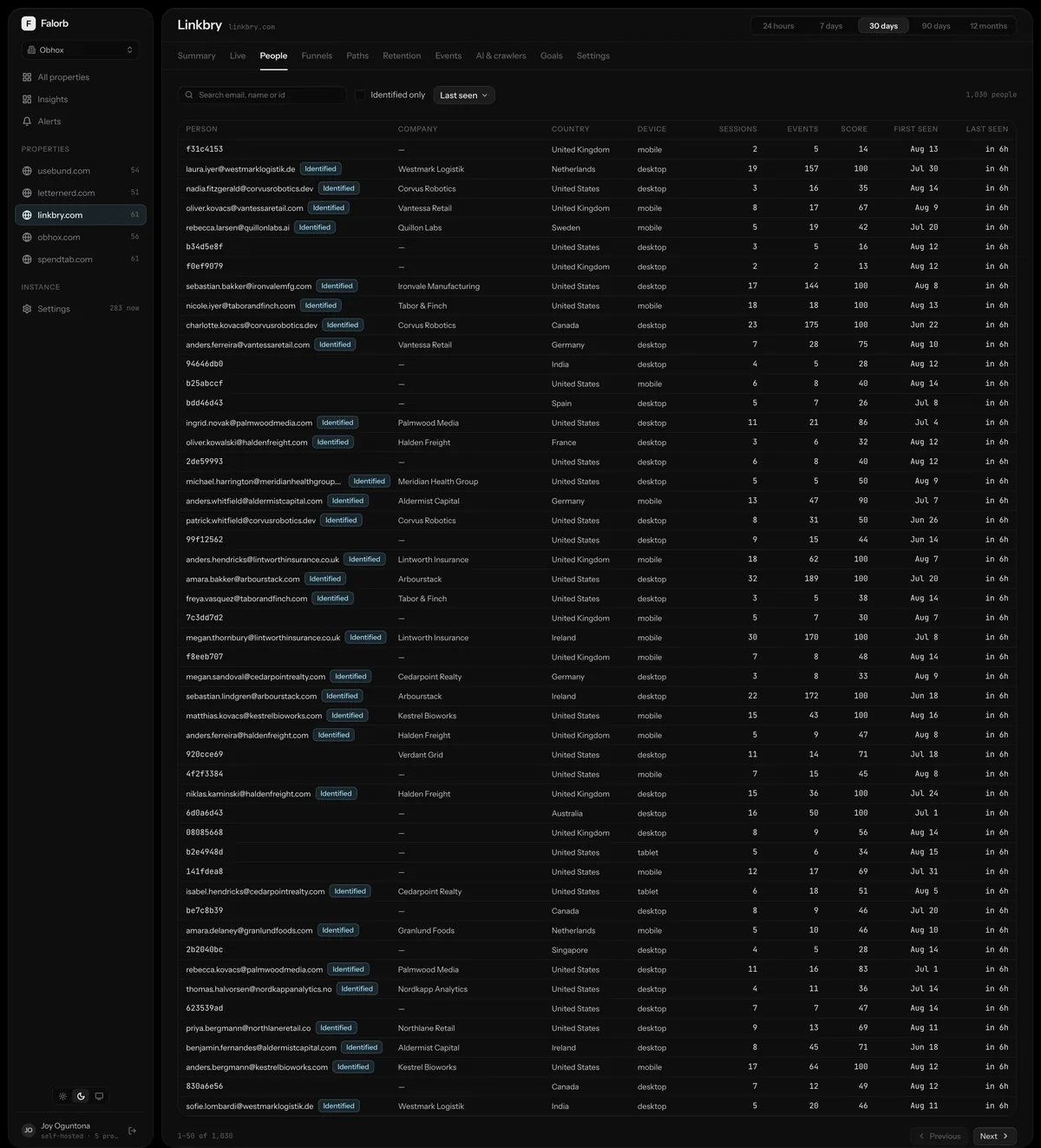
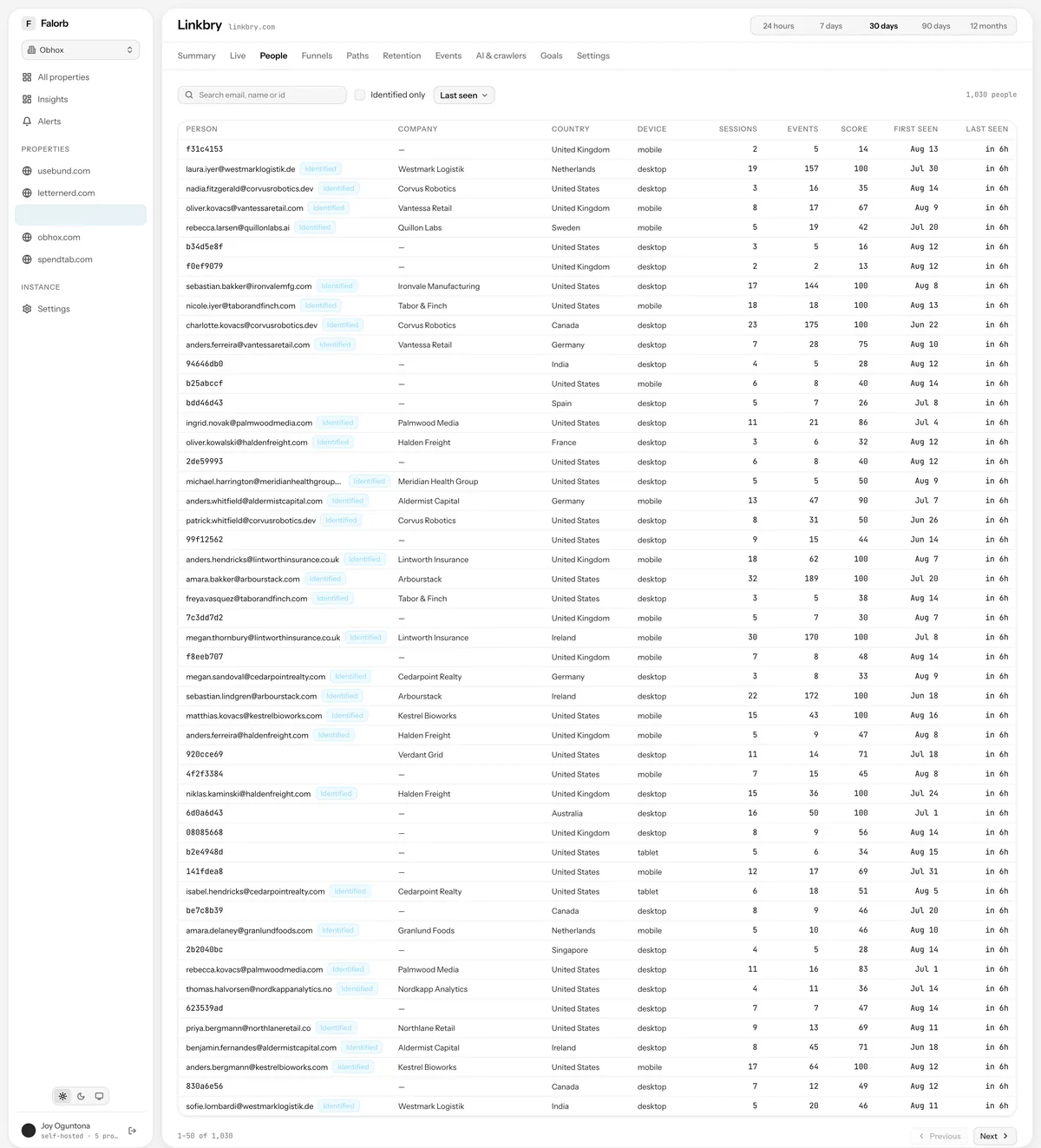
People
Debounced search, an identified-only filter, sortable columns and paging over everyone the property has seen.
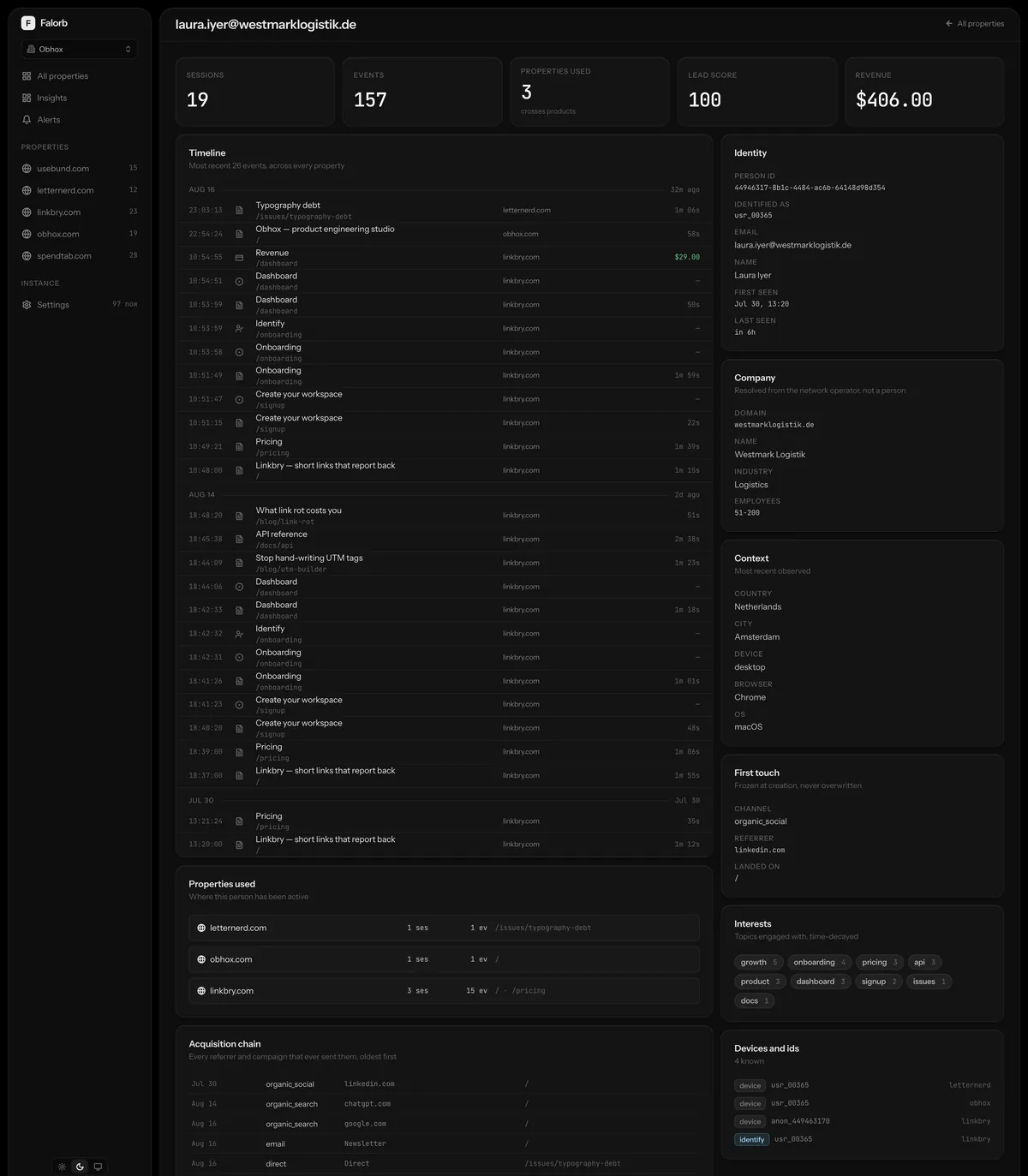
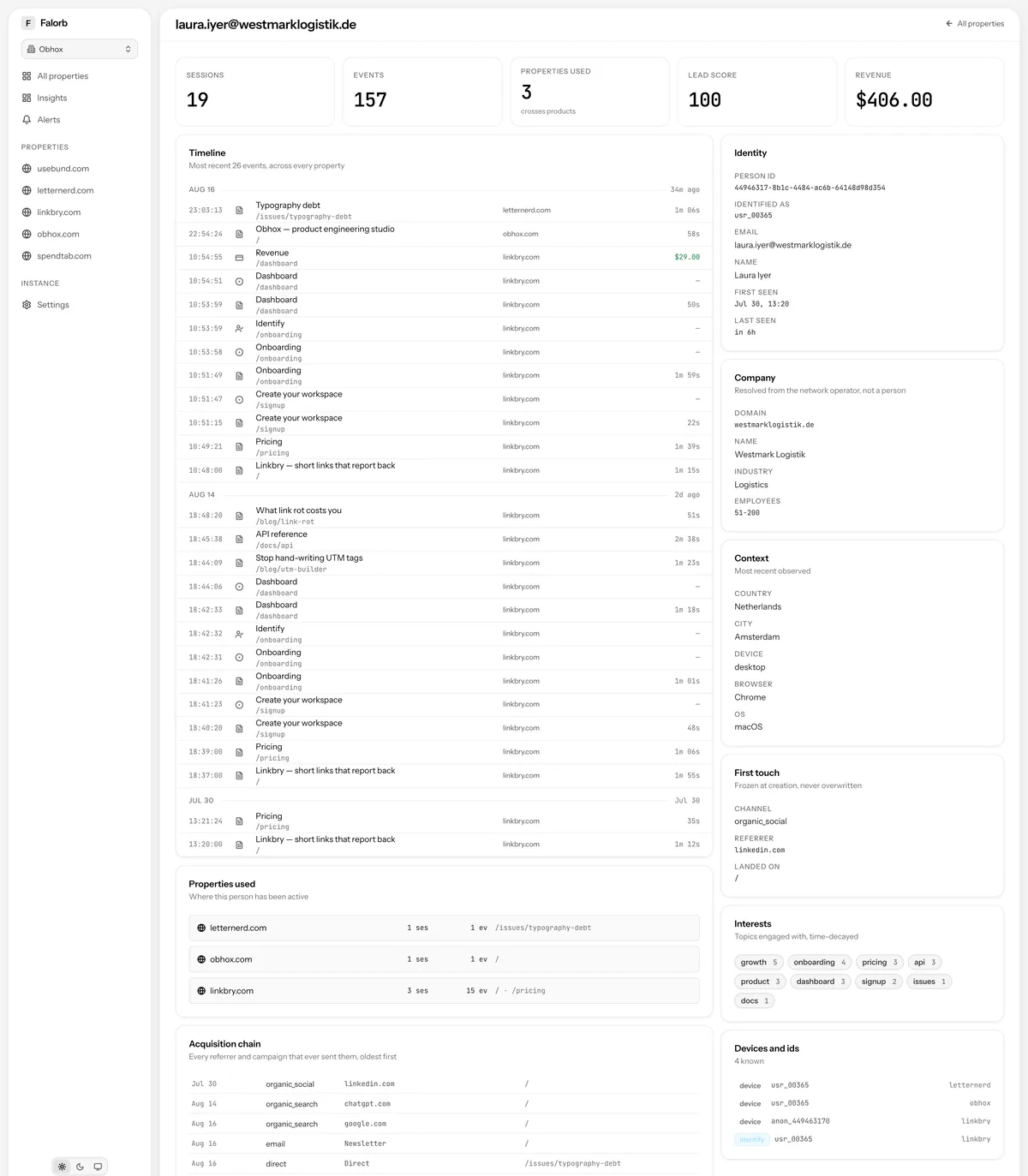
Person profile
The deep one: a timeline spanning every property, which of your products they have used, the acquisition chain, scored interests, devices and identities.
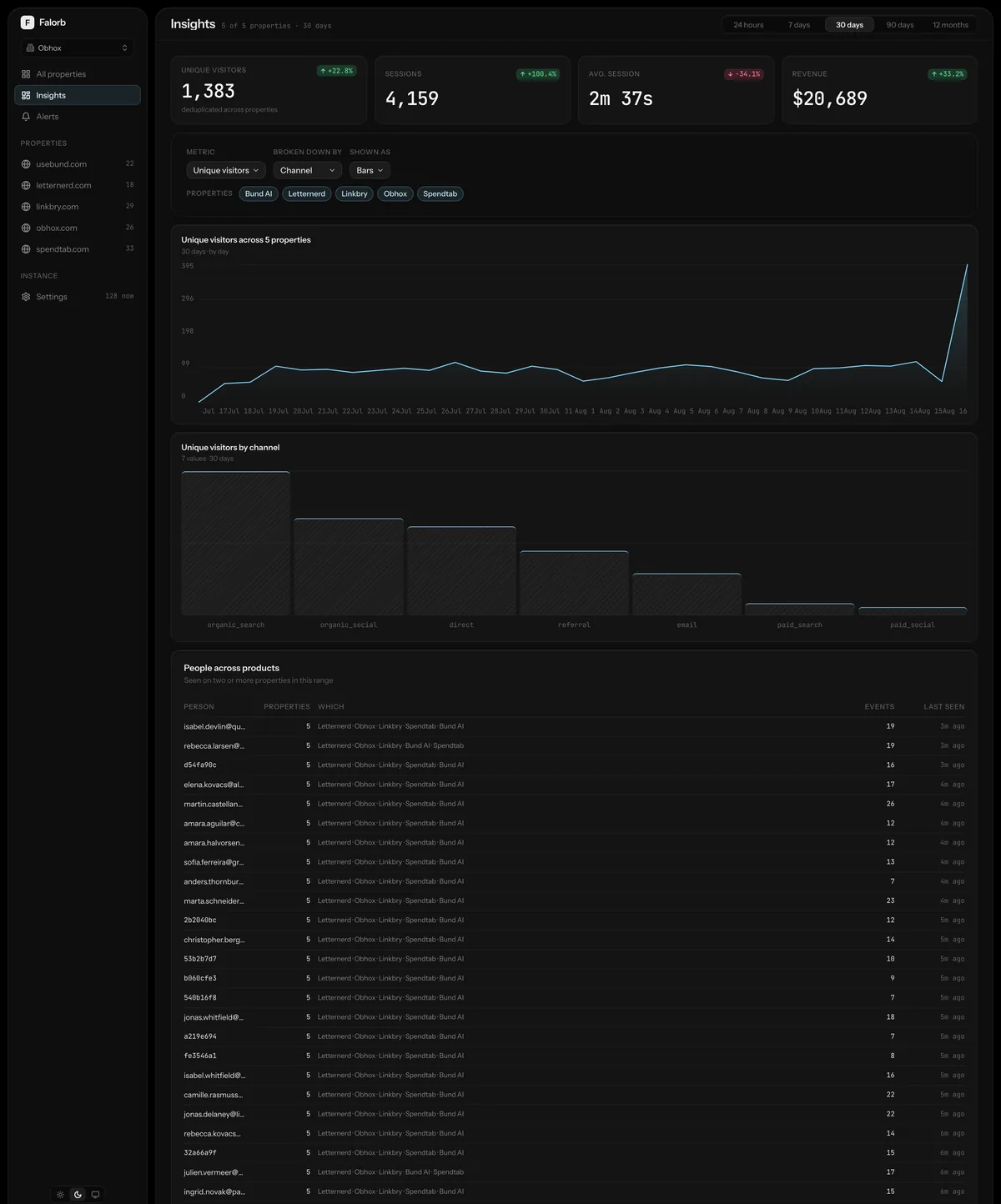
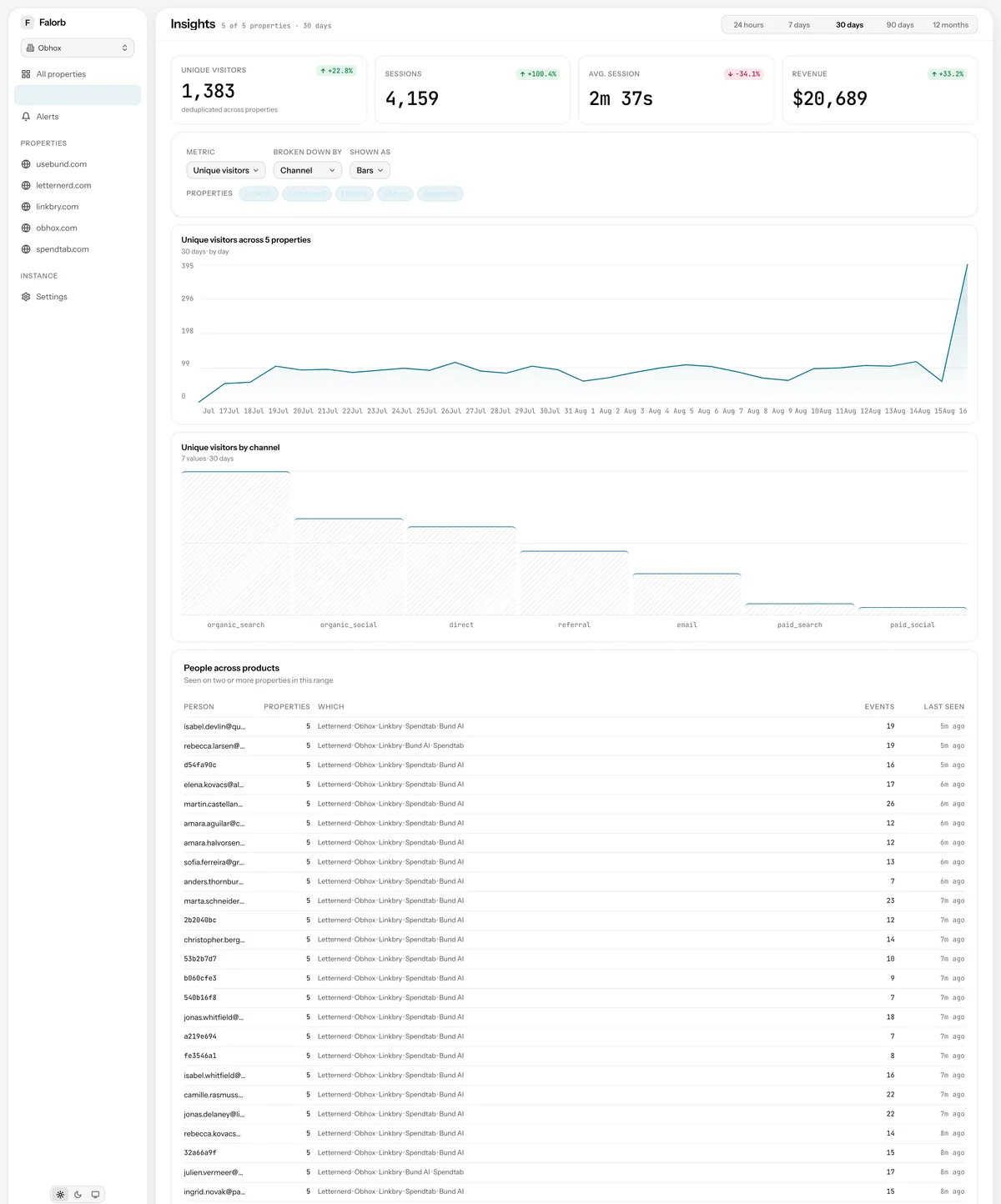
Cross-project insights
Metric by dimension across every property at once, plus everybody who has used two or more of your products.
The analysis
Funnels, journeys, retention and events: the reports you open with a question already in mind.
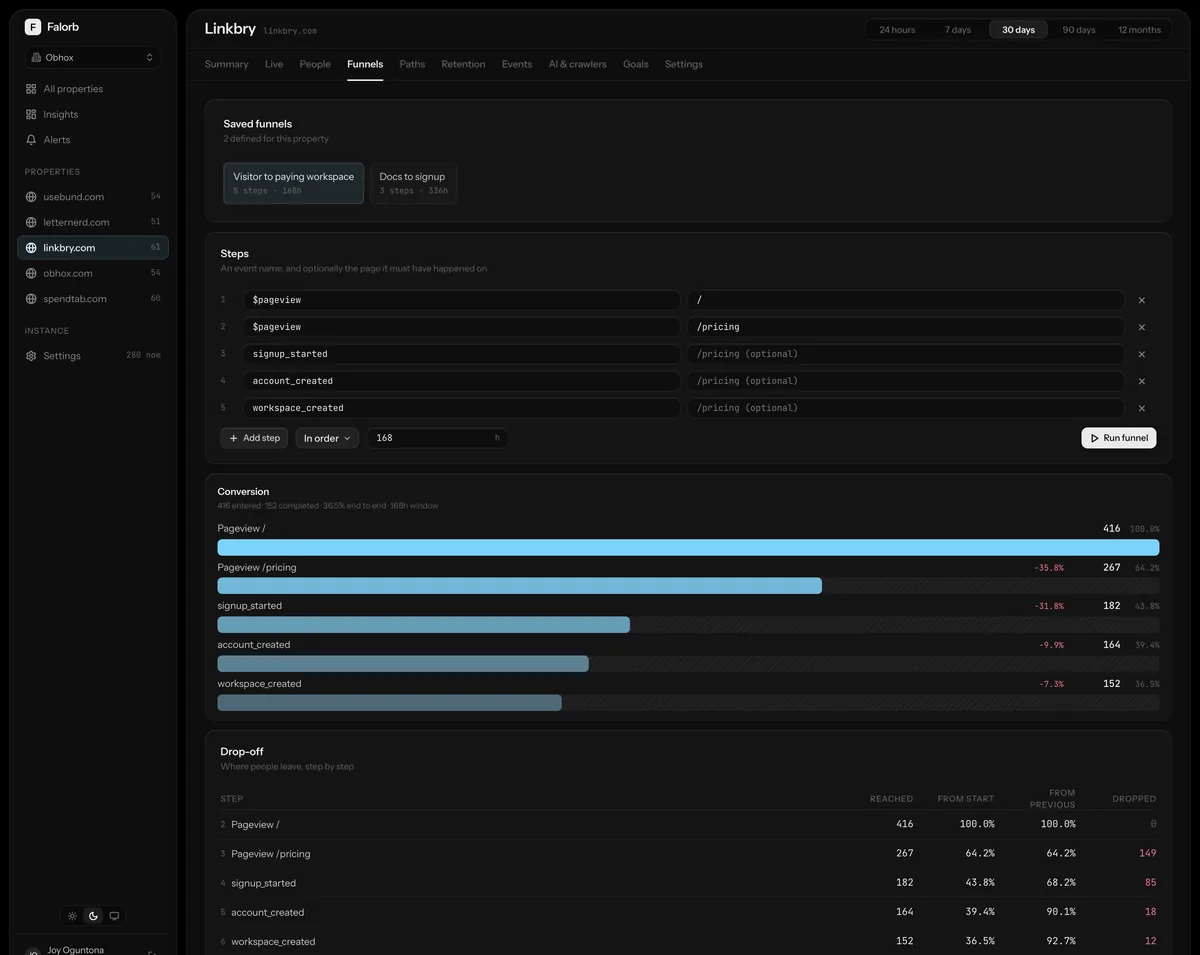
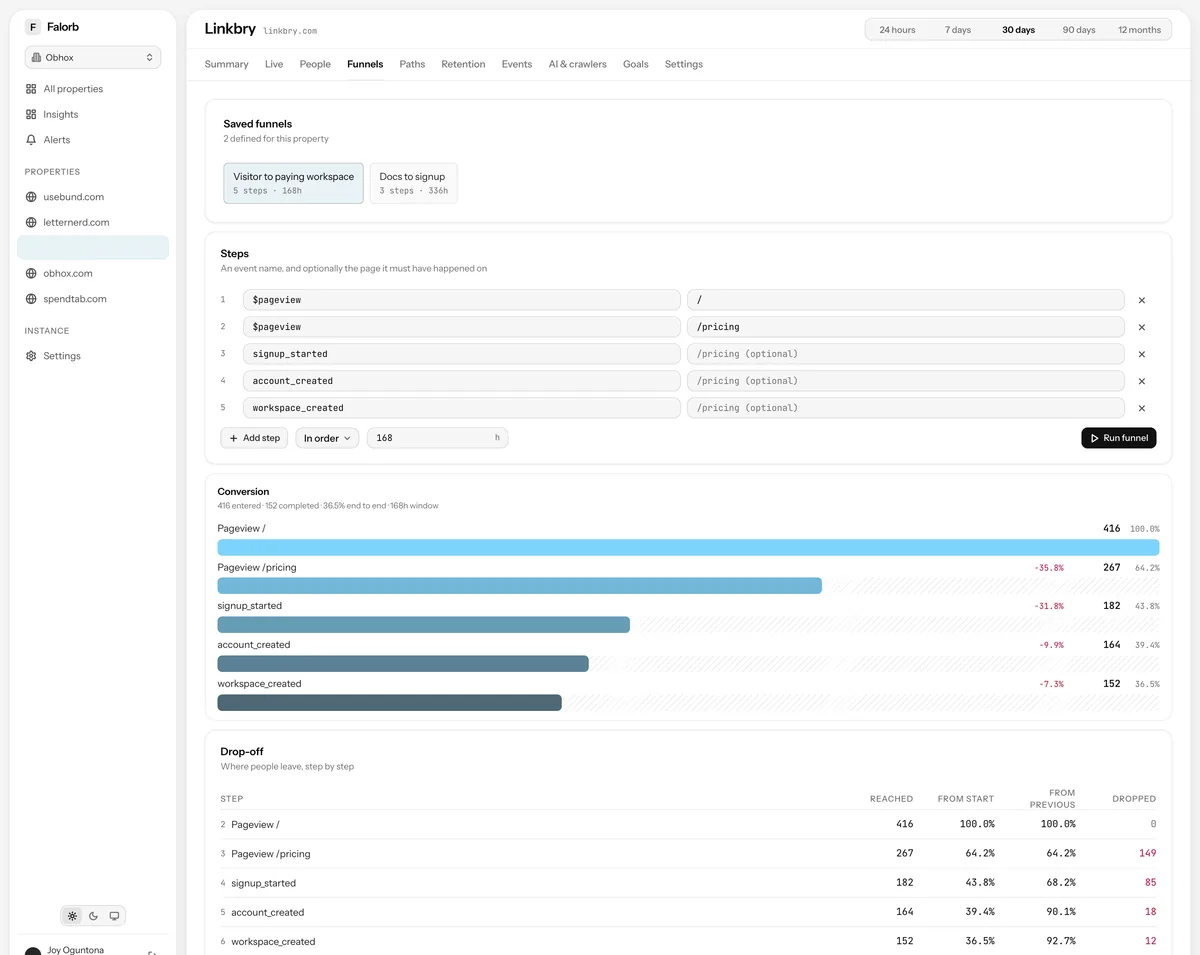
Funnels
A URL-encoded step builder above a conversion chart and a drop-off waterfall, with the conversion window stated rather than assumed.
Journeys
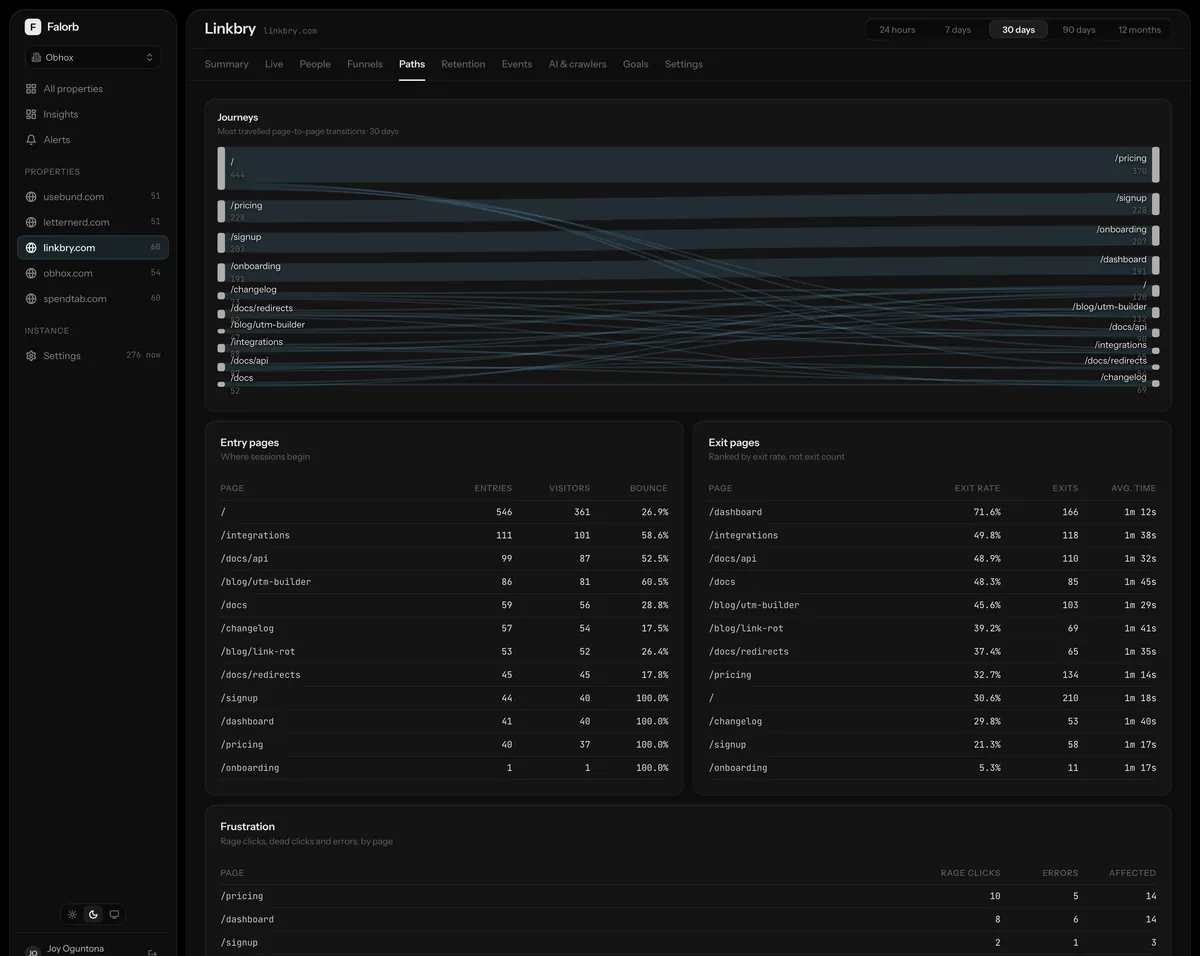
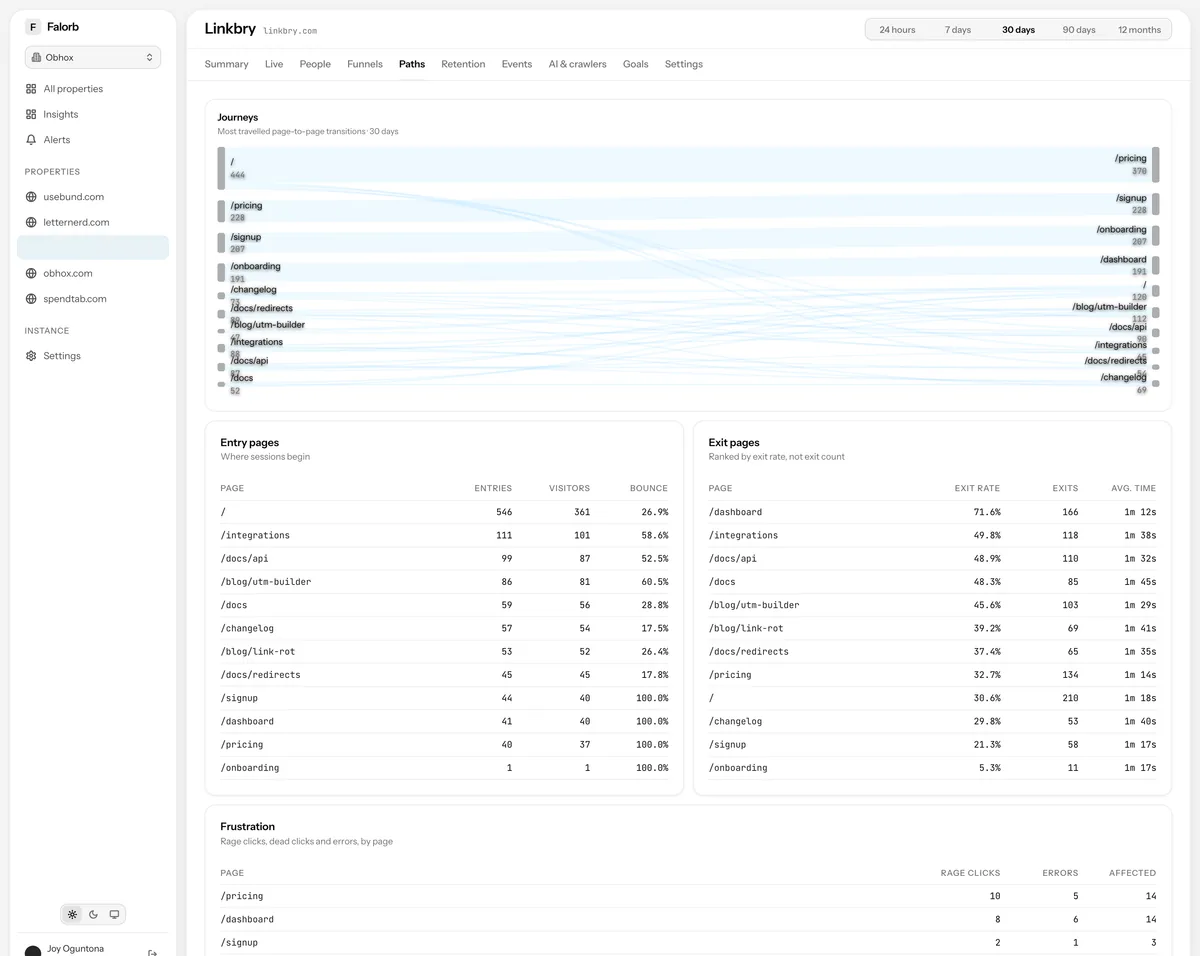
A Sankey of page-to-page flow, entry pages, exit pages ranked by rate rather than volume, and the pages producing rage clicks and errors.
Retention
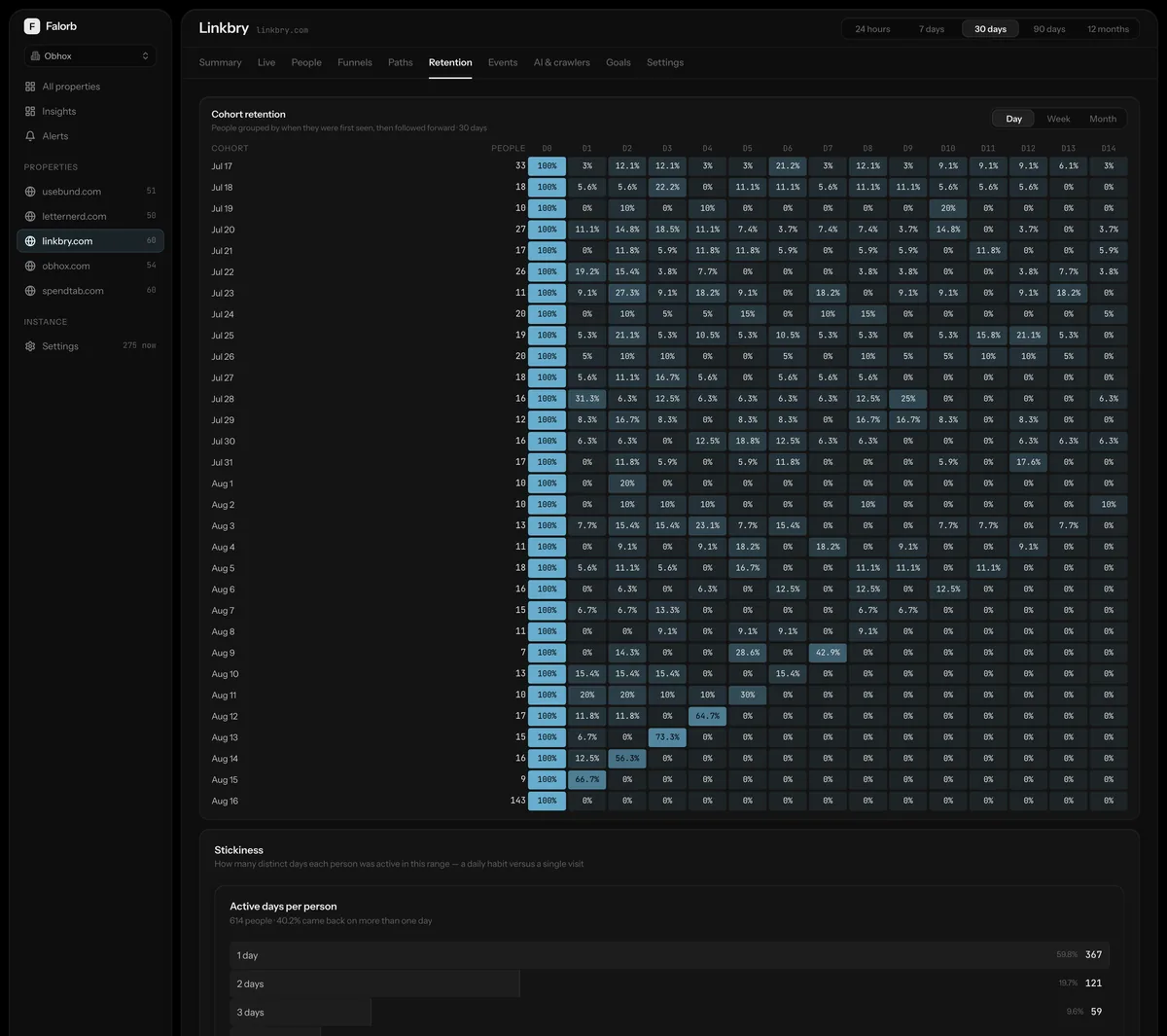
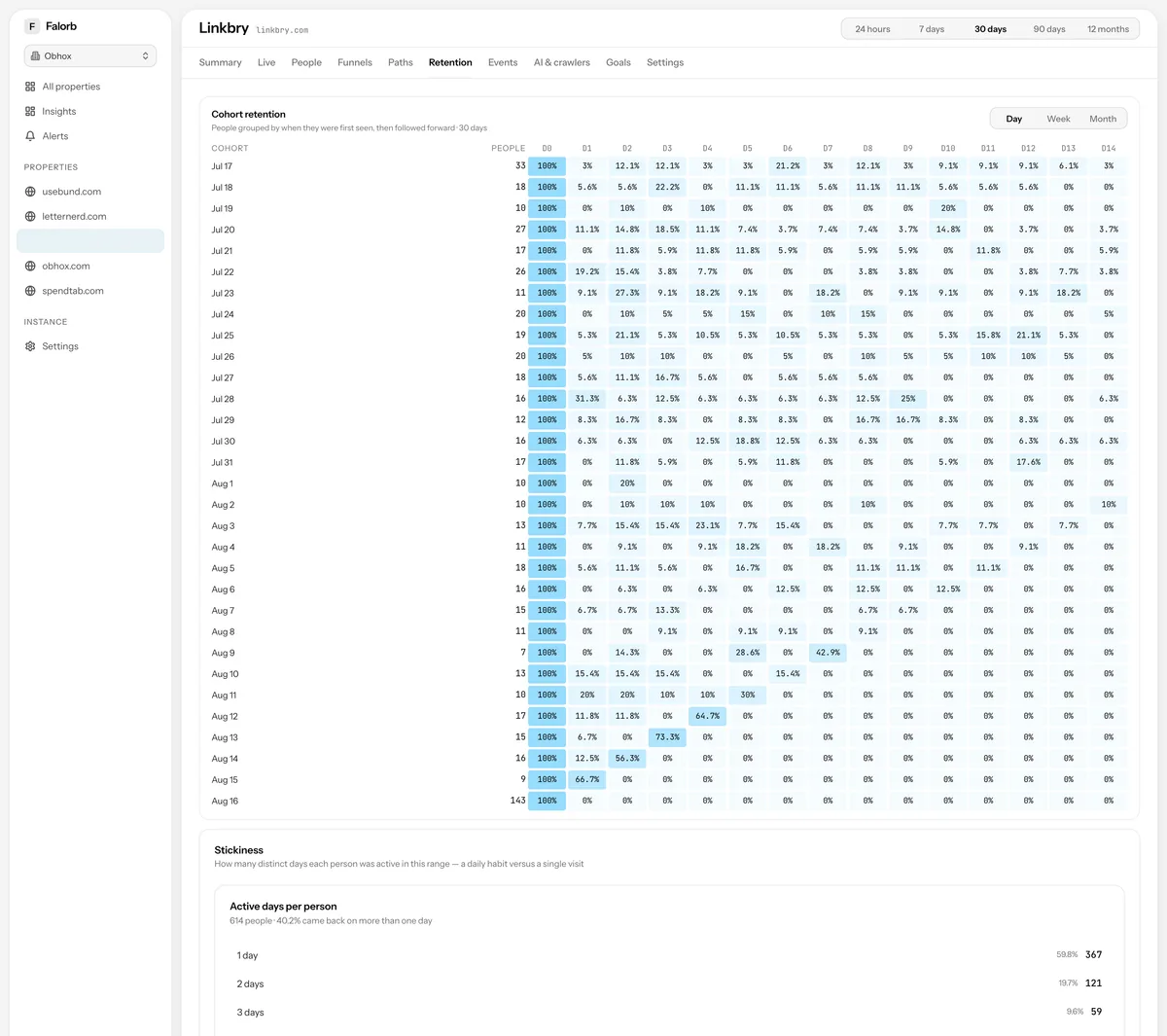
Cohort grids by day, week or month, with a stickiness distribution underneath showing how many days in the period people actually returned.
Events
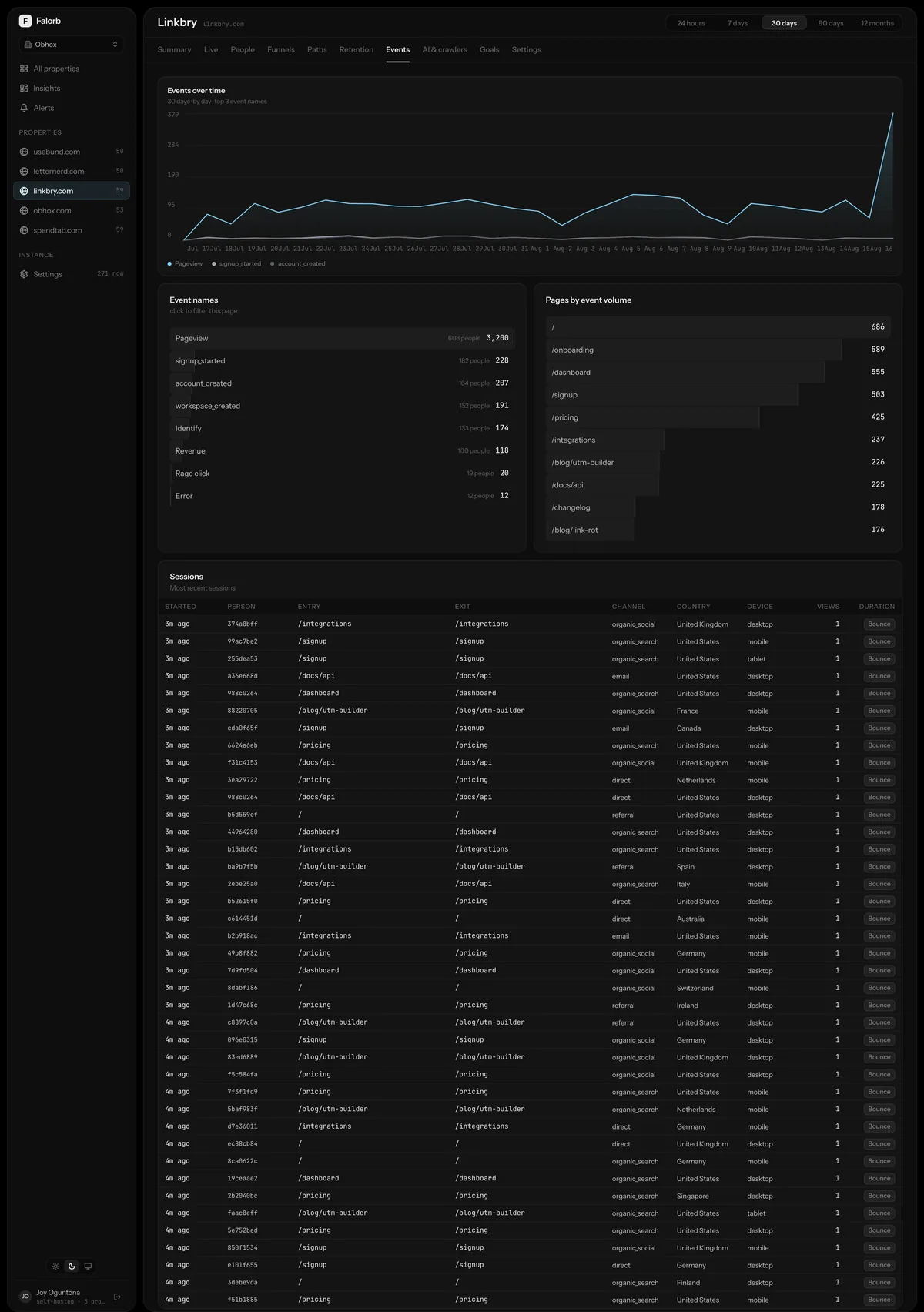
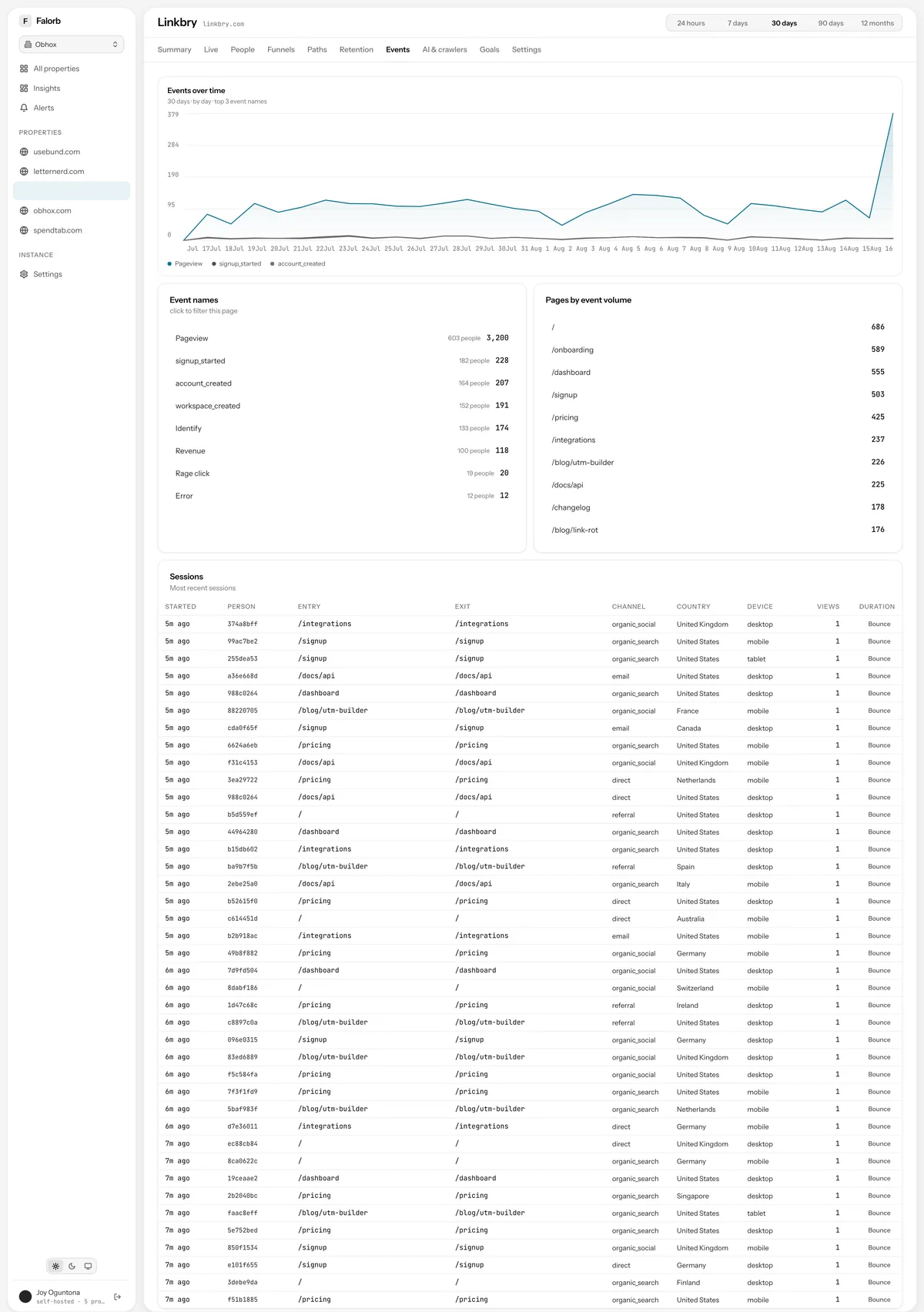
Every event name the property has sent, filtered to one at a time, with its trend, the pages it fires on and the sessions it happened in.
AI & crawlers
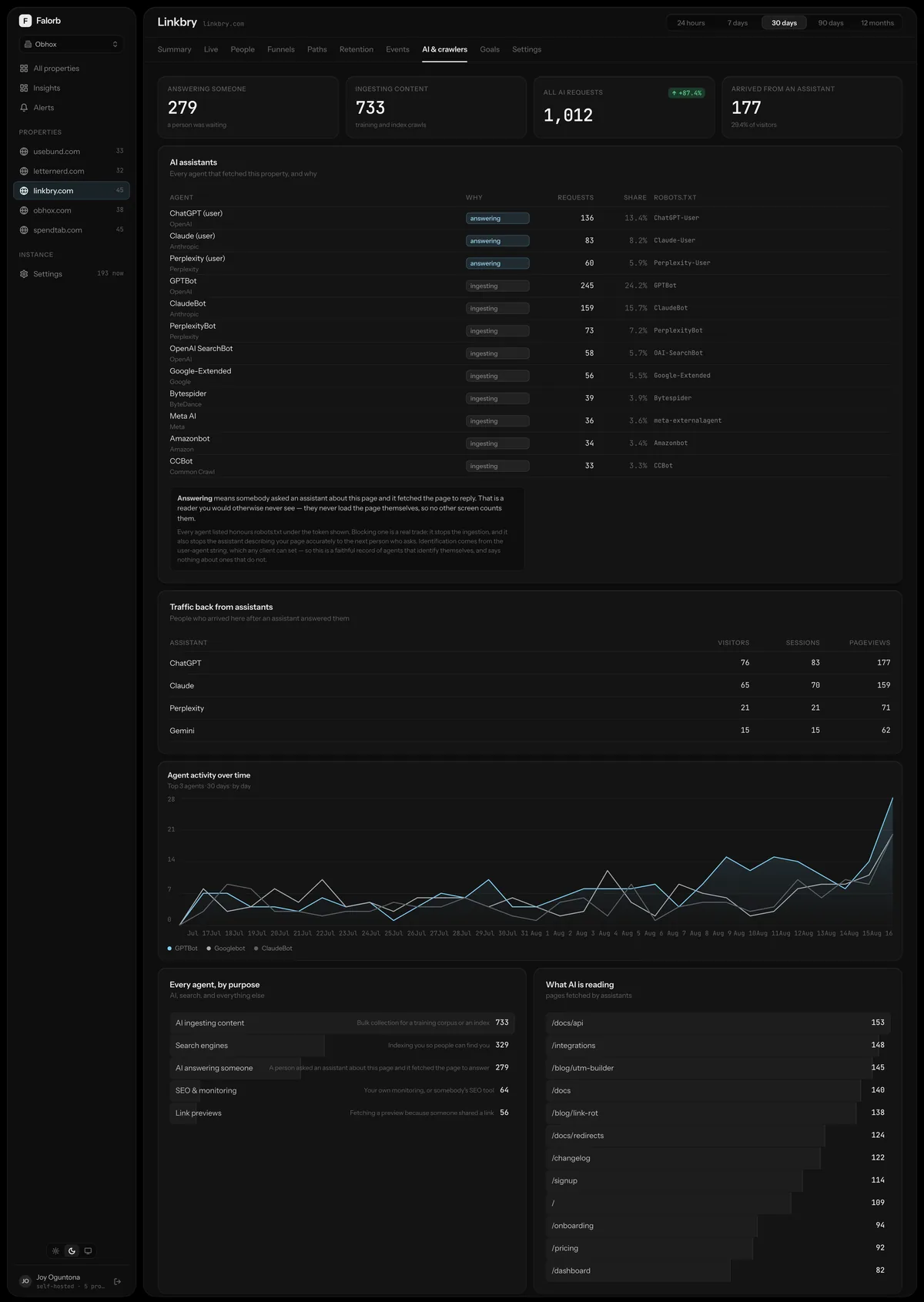
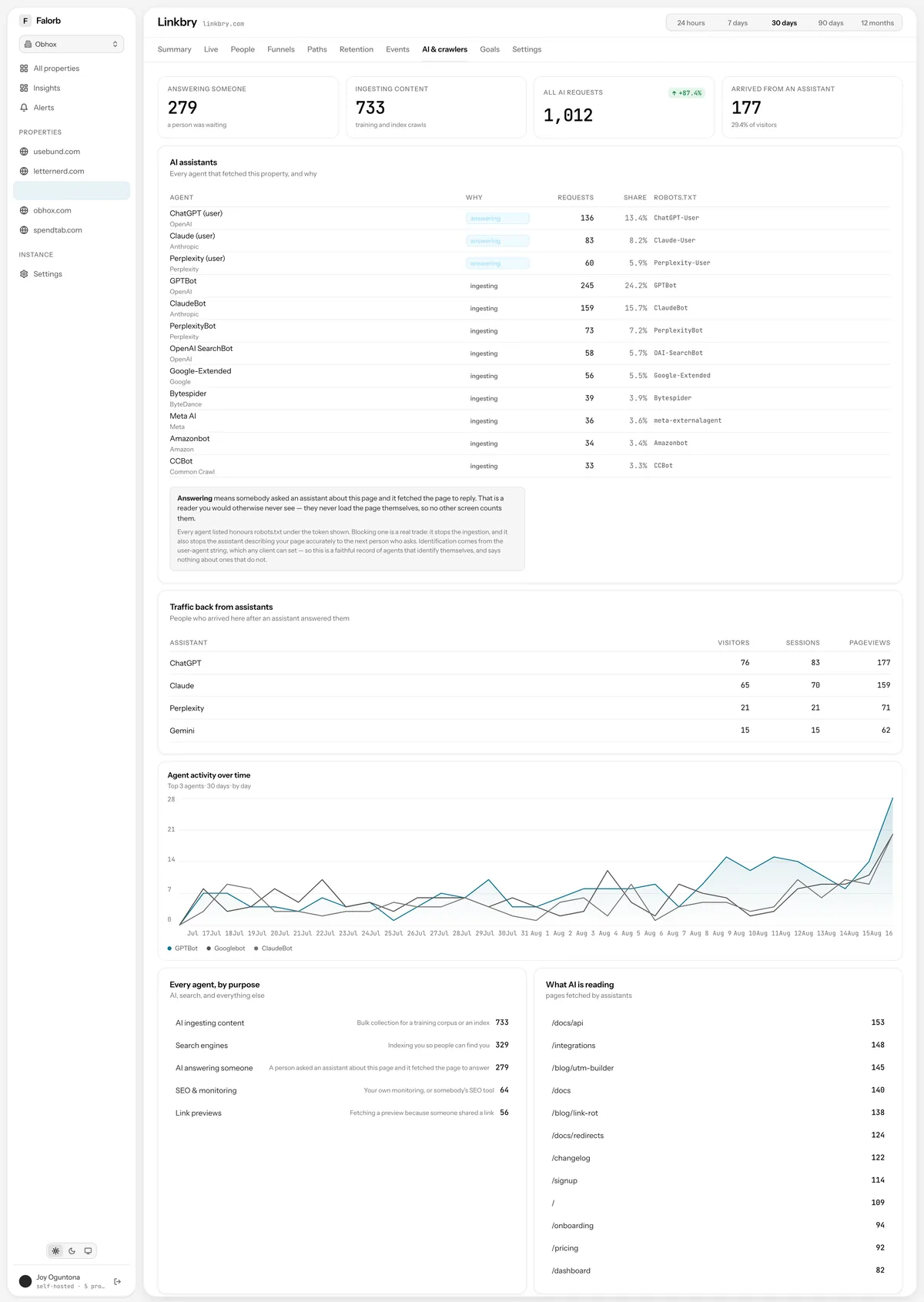
Which assistants fetched your pages and why, whether answering somebody's question or collecting a corpus, plus the readers they sent back.
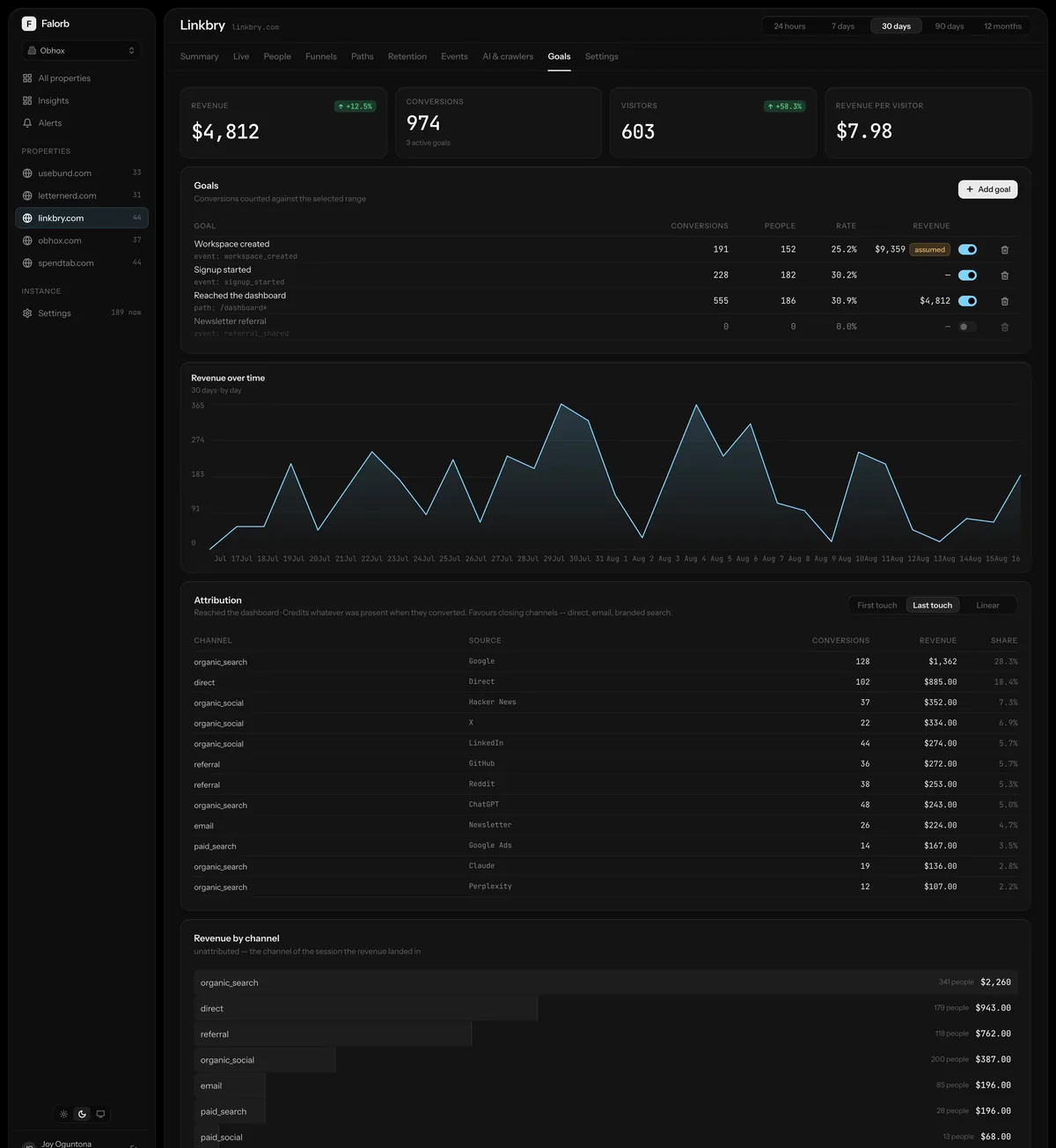
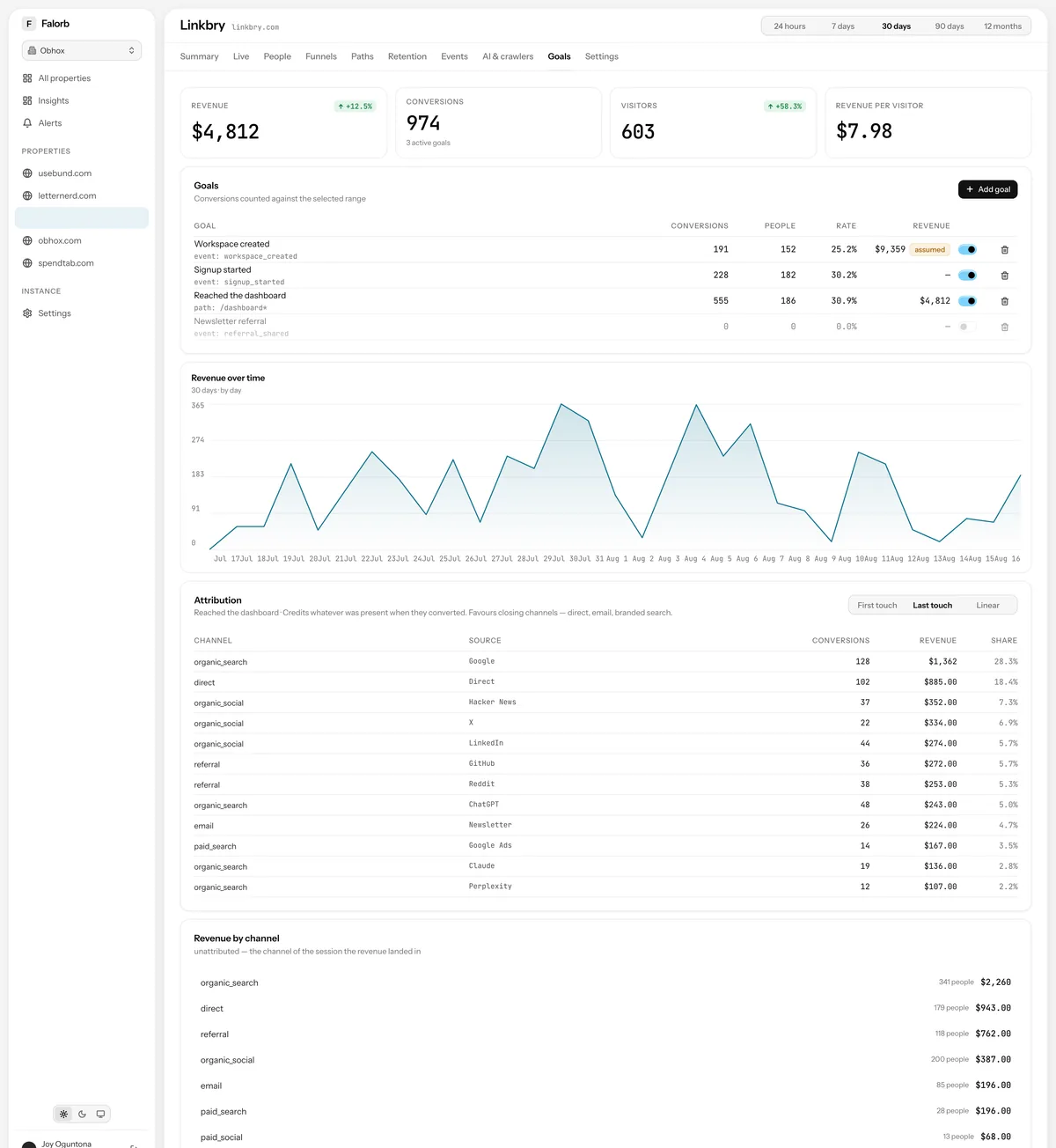
Goals & revenue
Goals from events or paths, conversion rates against the visitors in scope, and revenue attributed under first-touch, last-touch and linear models side by side.
The plumbing
Settings, alerting, access and the connections out.
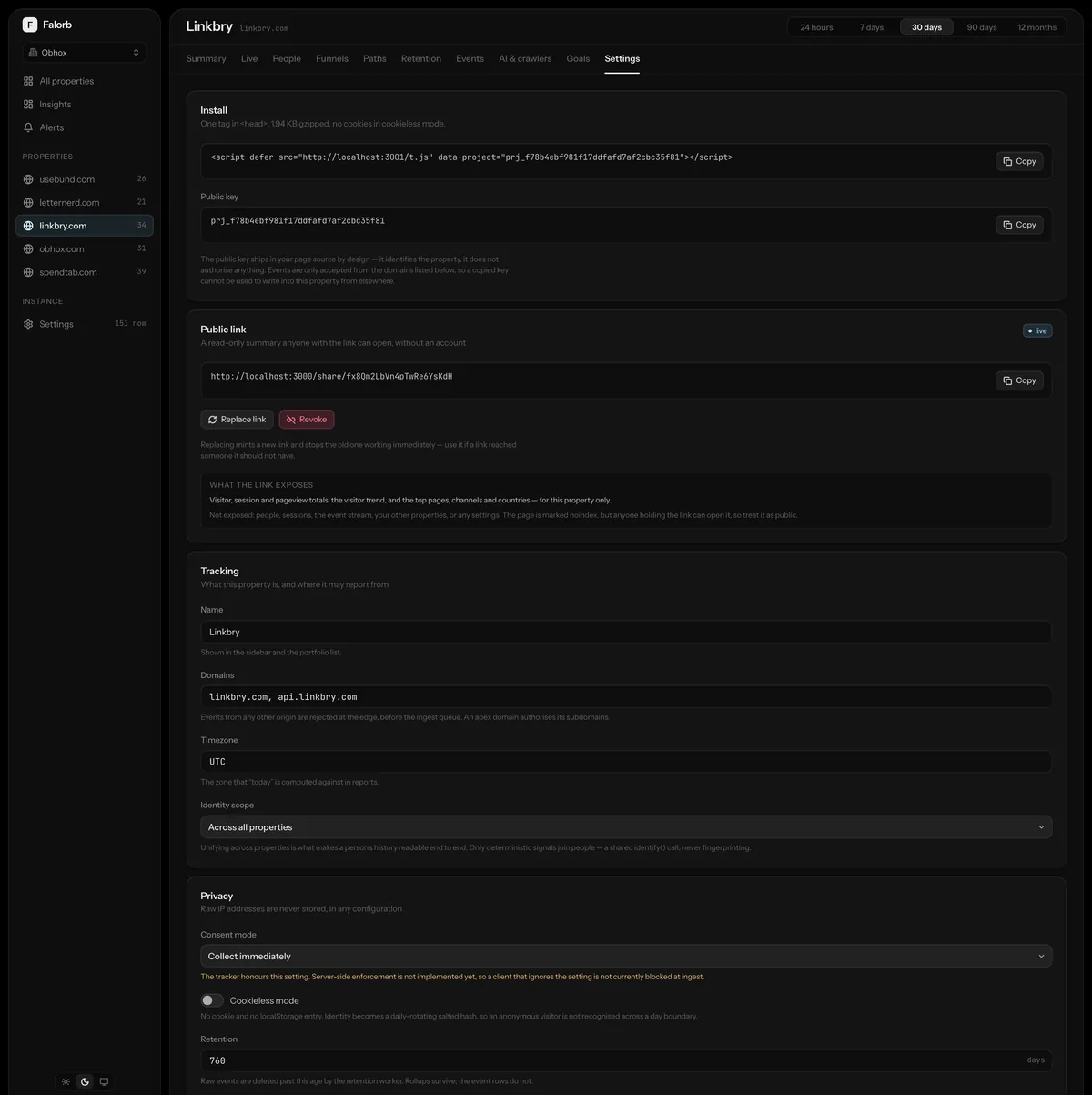
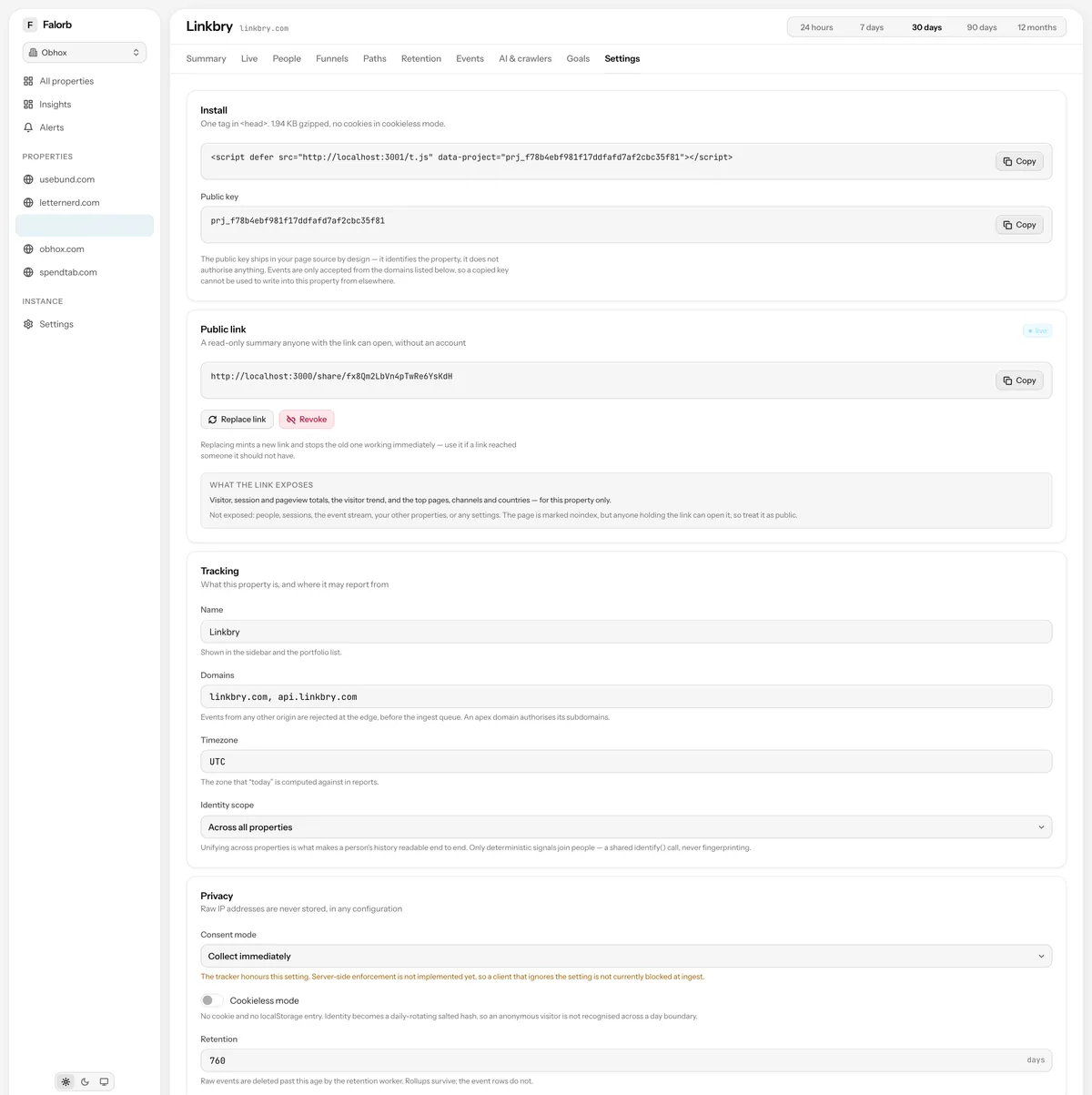
Property settings
The install snippet, the public share link, allowed domains, timezone, identity scope, consent mode and retention, per property.
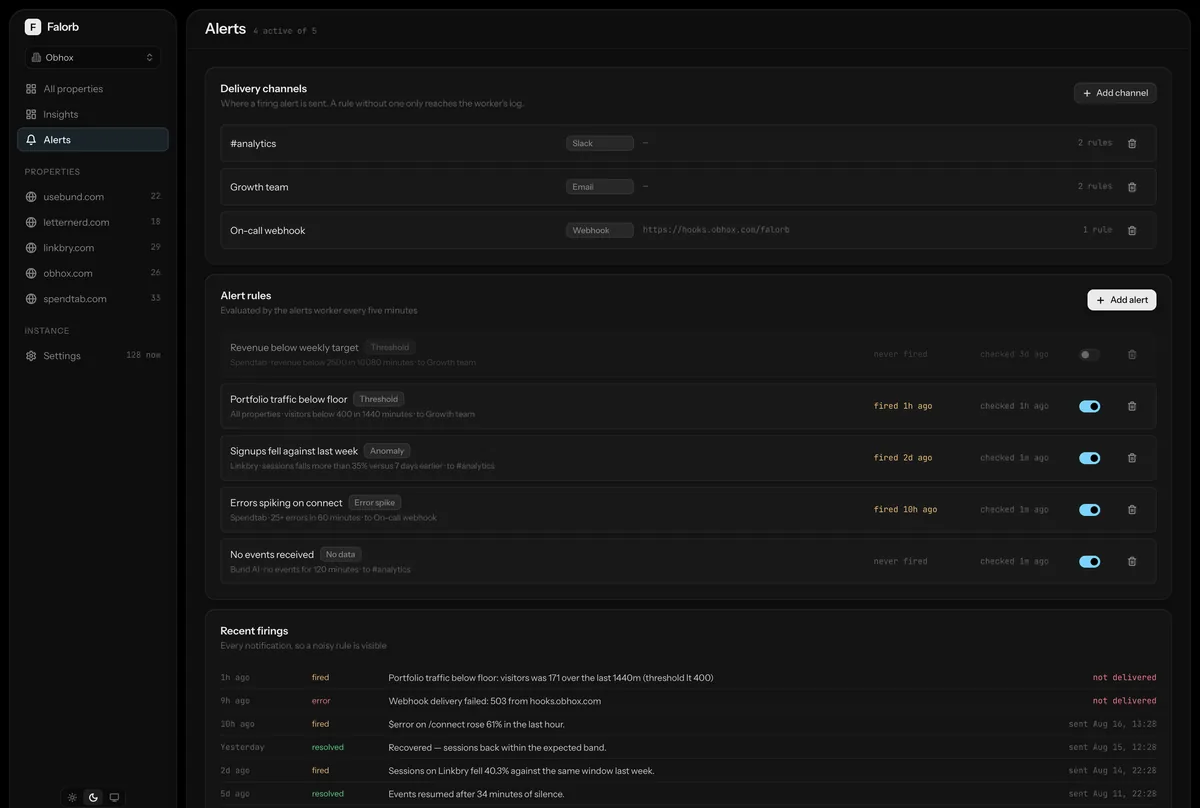
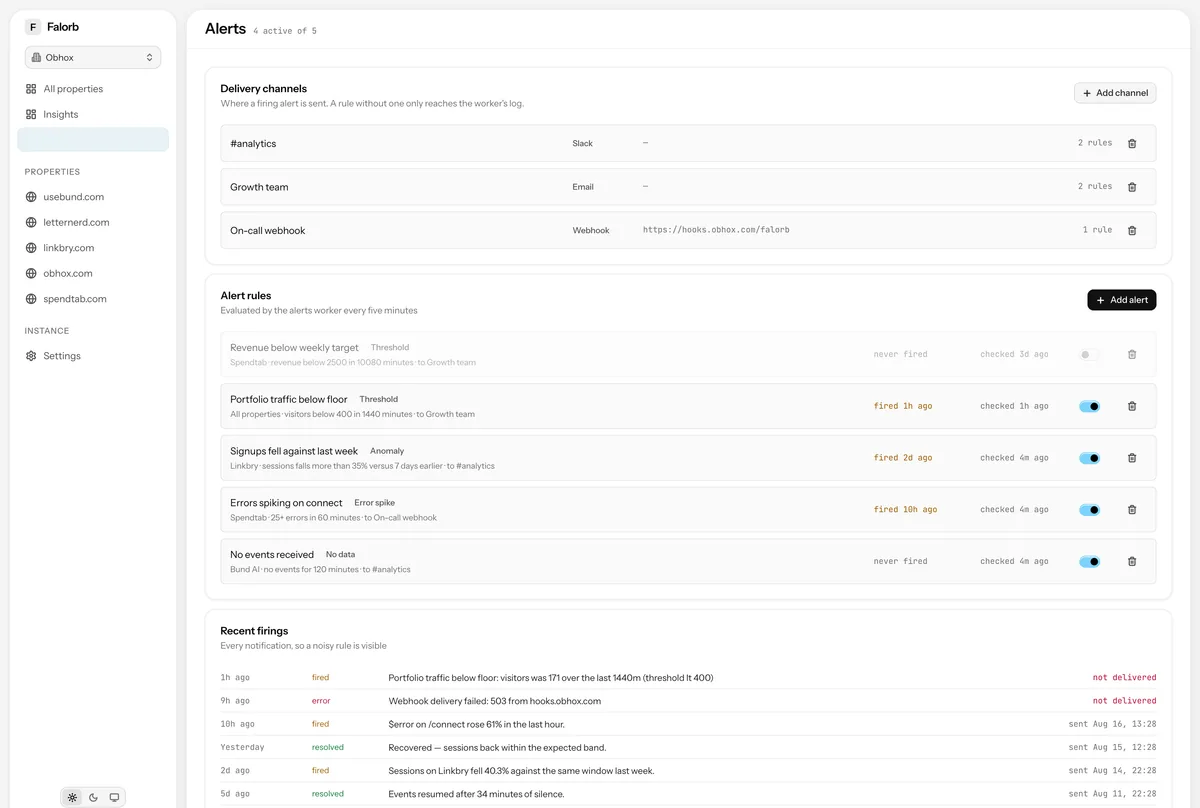
Alerts
Threshold, anomaly, no-data and error-spike rules, delivery channels for Slack, email and webhooks, and the history of every firing.
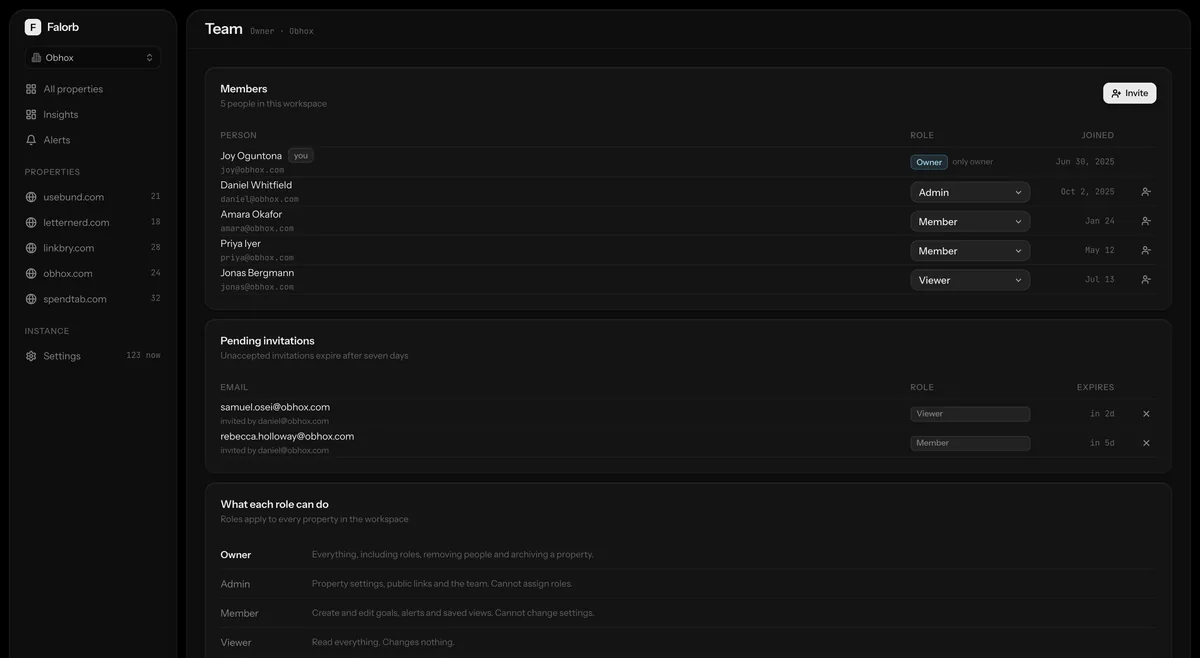
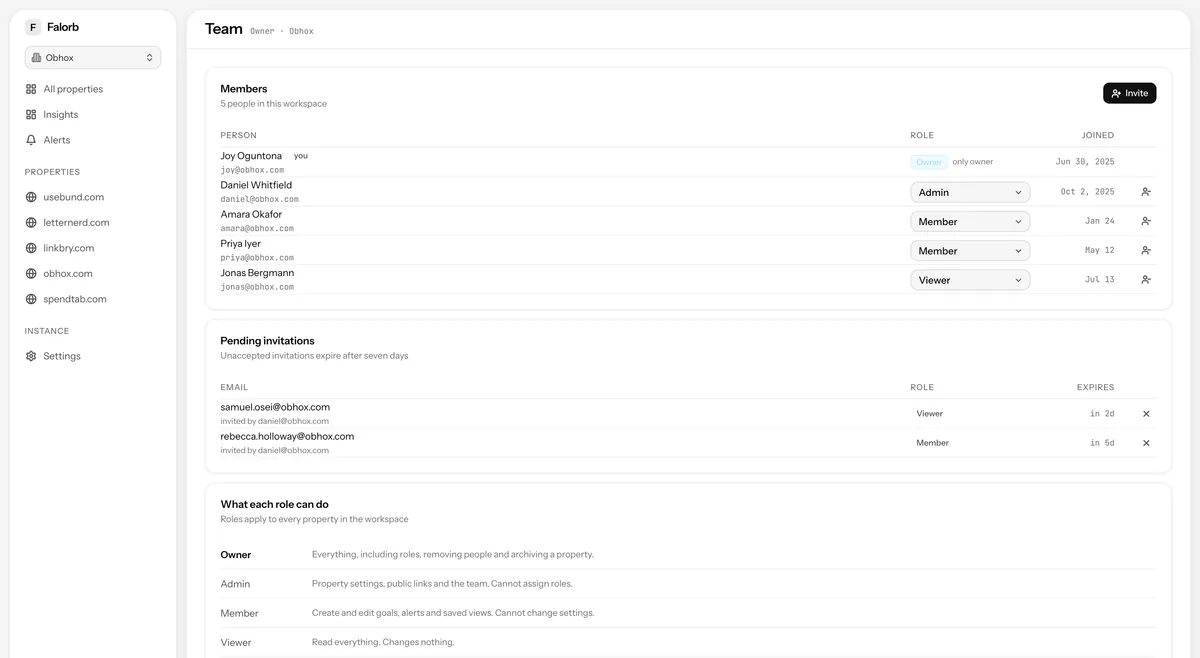
Team
Members and their roles, what each role may do, and pending invitations bound to the address they were sent to.
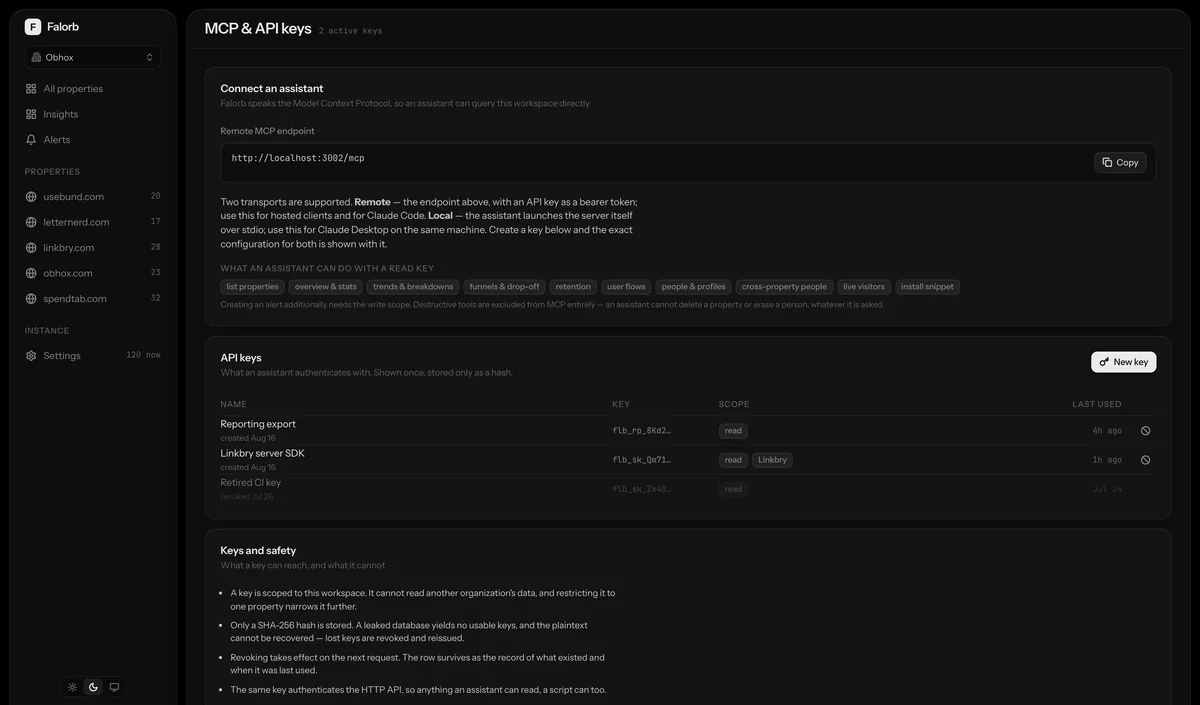
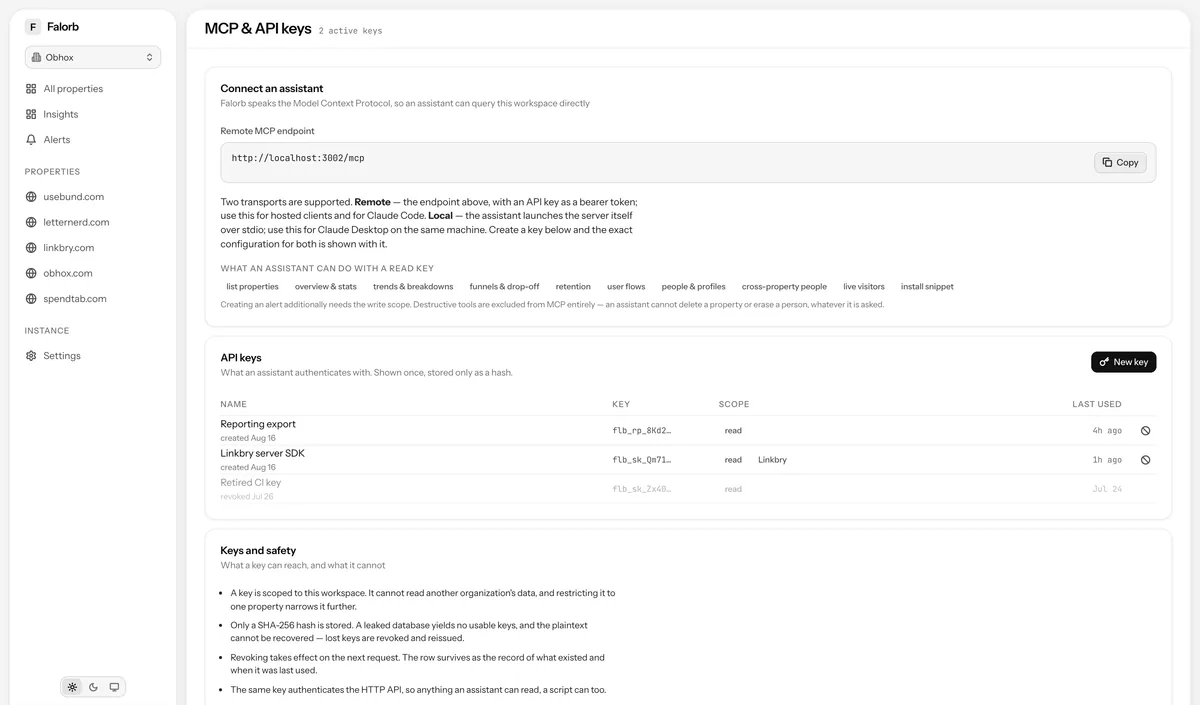
MCP & API keys
The configuration block to connect an AI assistant, and the keys it would use, shown once on creation and listed by prefix afterwards.
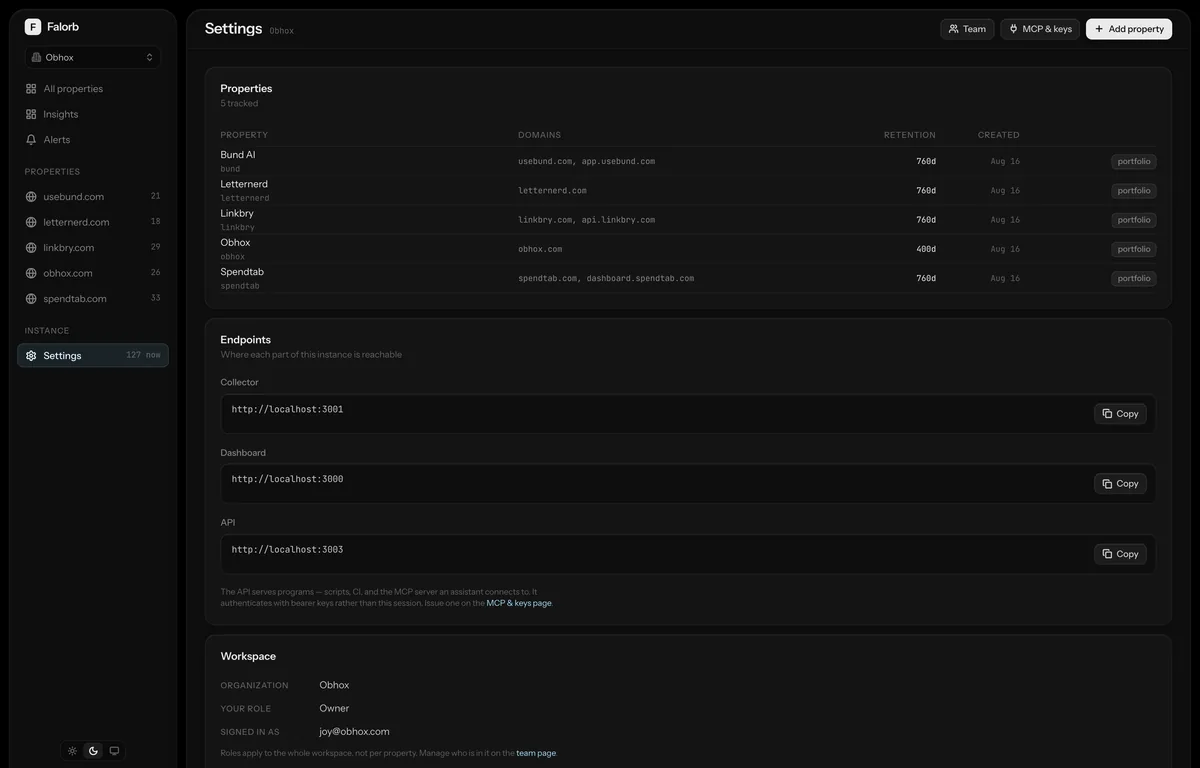
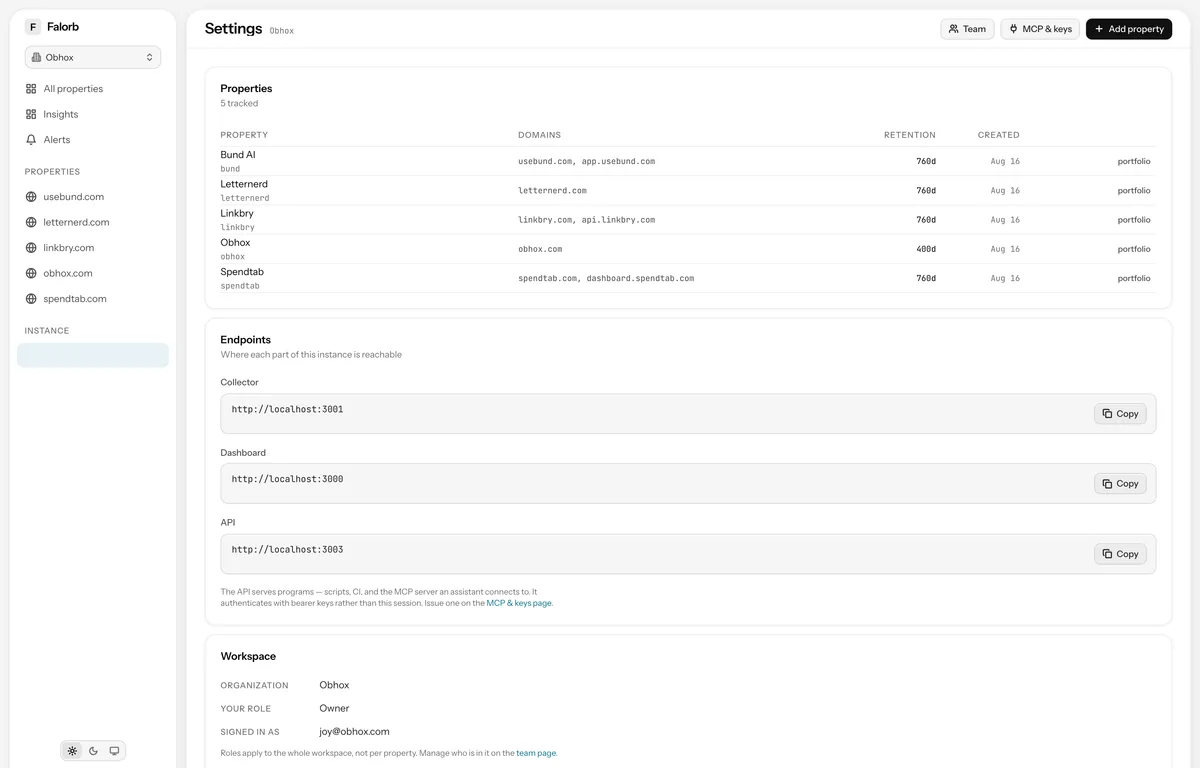
Instance settings
Properties, the collector and dashboard endpoints for this deployment, and the workspace itself.
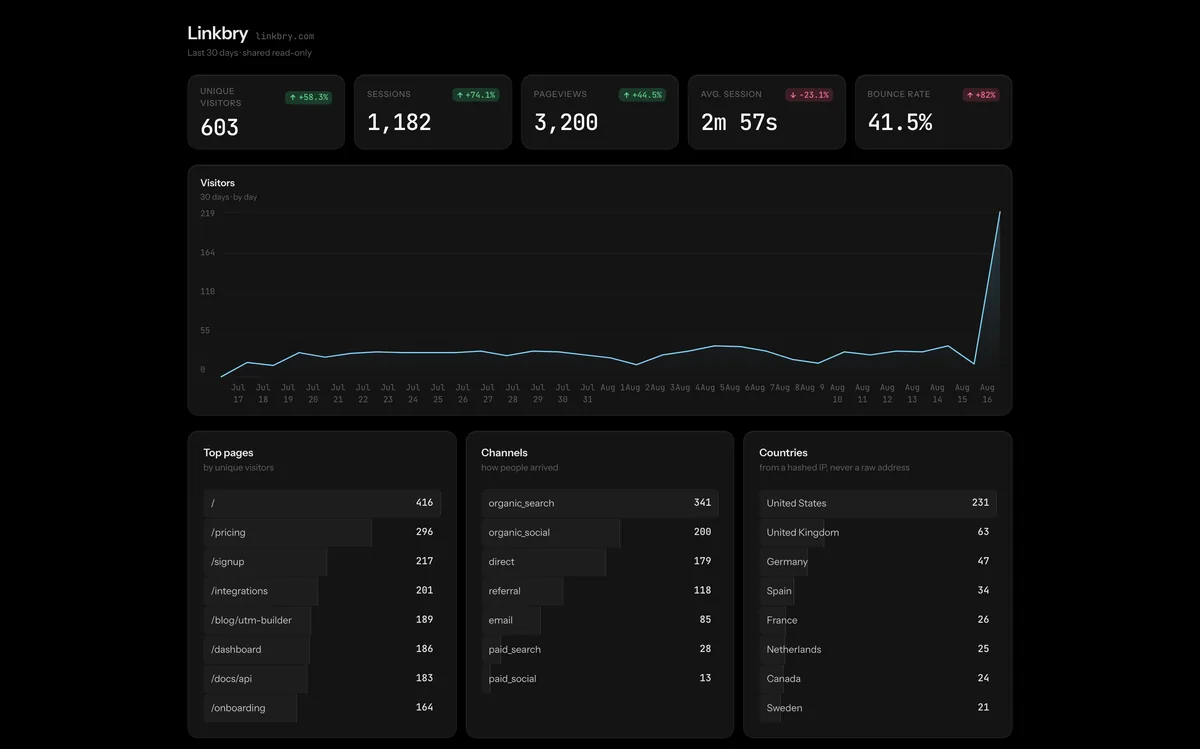
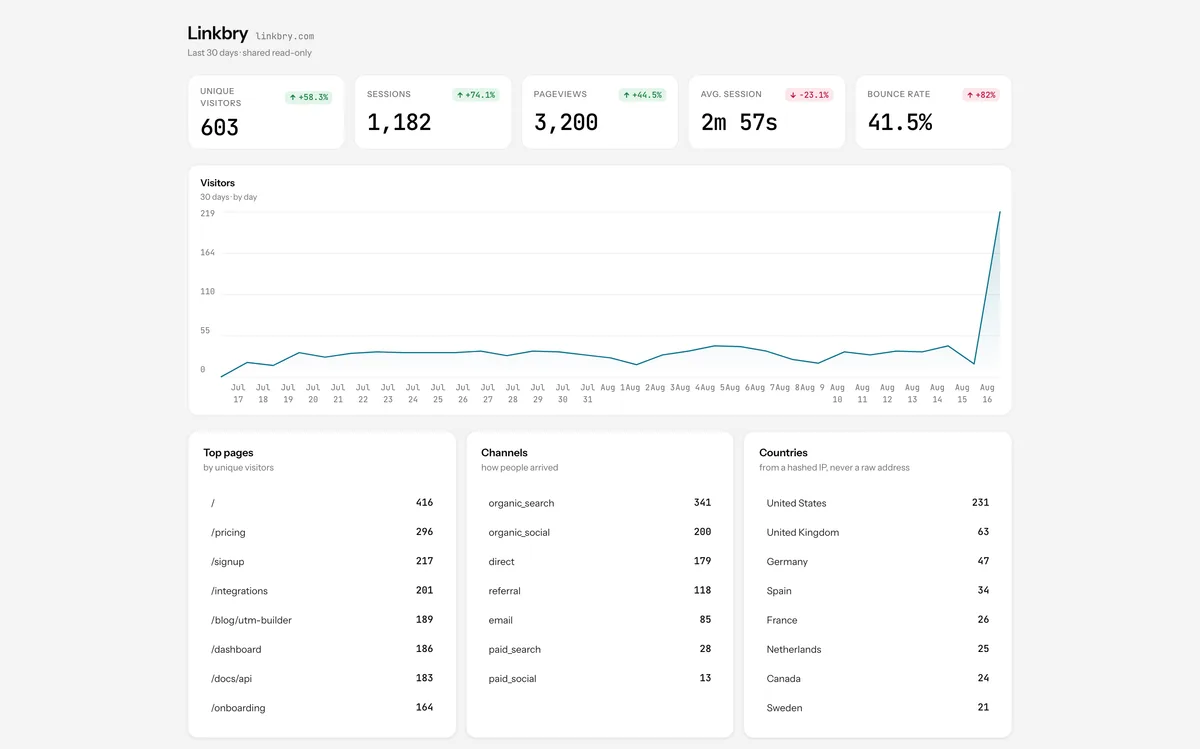
Public share
A read-only property summary at an unguessable token, for a client or an investor who should not have an account. Revocable from settings.
Sign in
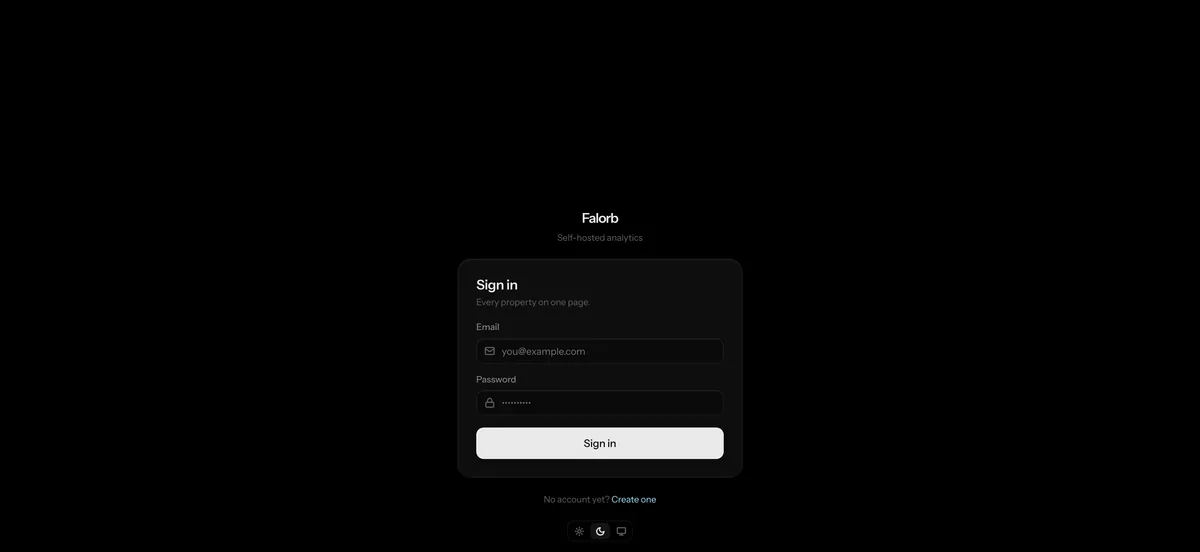
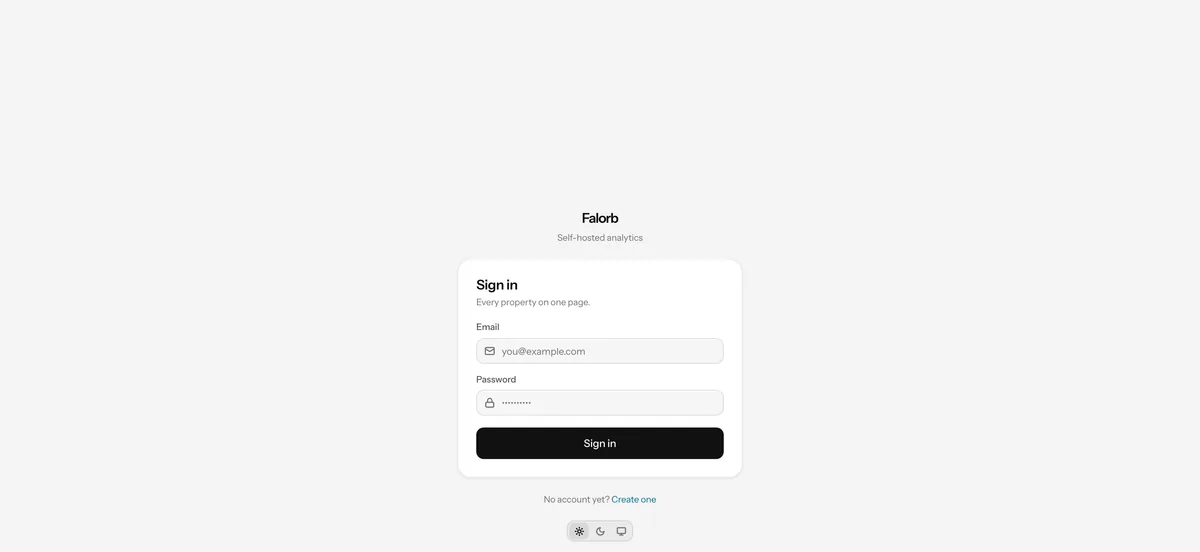
Email and password through better-auth, with scrypt hashing, thirty-day sessions and rate limits that are on by default.
Every screen here runs on your own server
There is no hosted version to sign up for. Clone the repository, bring the stack up, and this is what you get.